Skip to content
edit

the agentic development environment.

A multiplexer for your coding agents. Run them side by side, hand Anna the big ones, steer it all from your phone.

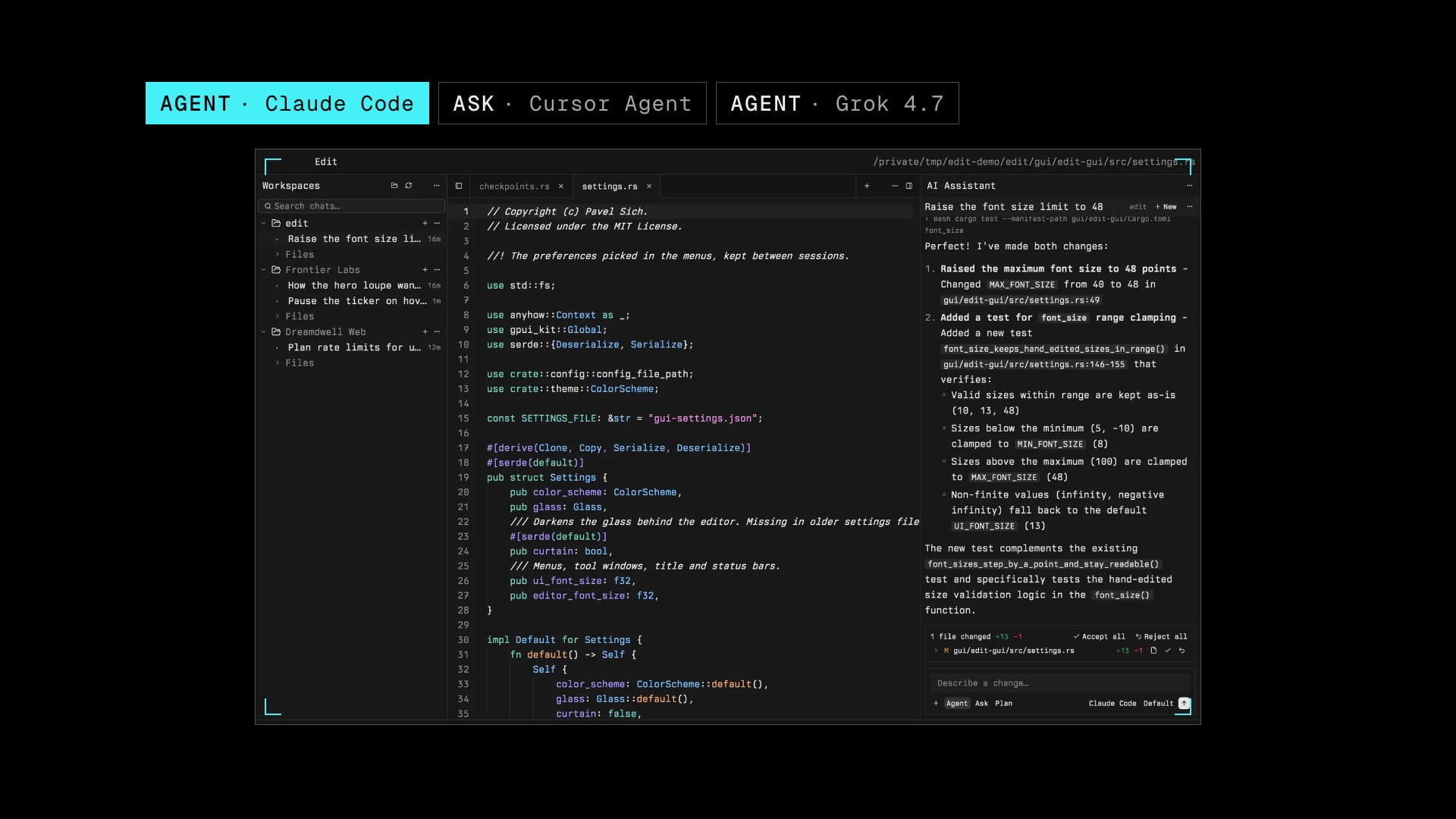
Edit is not an editor with a chat in the corner. It runs Claude Code, Cursor Agent and Codex side by side, and keeps going where a terminal stops: you read what each one changed, keep or undo it file by file, and commit. Anna plans and builds from one prompt. It is written in Rust, drawn on the GPU, and stays light while they work.

Anna is a mode in the assistant. Tell her once what you need: she reads the code, writes the plan, builds it and checks the result, all in one reply. Part of Edit PRO.

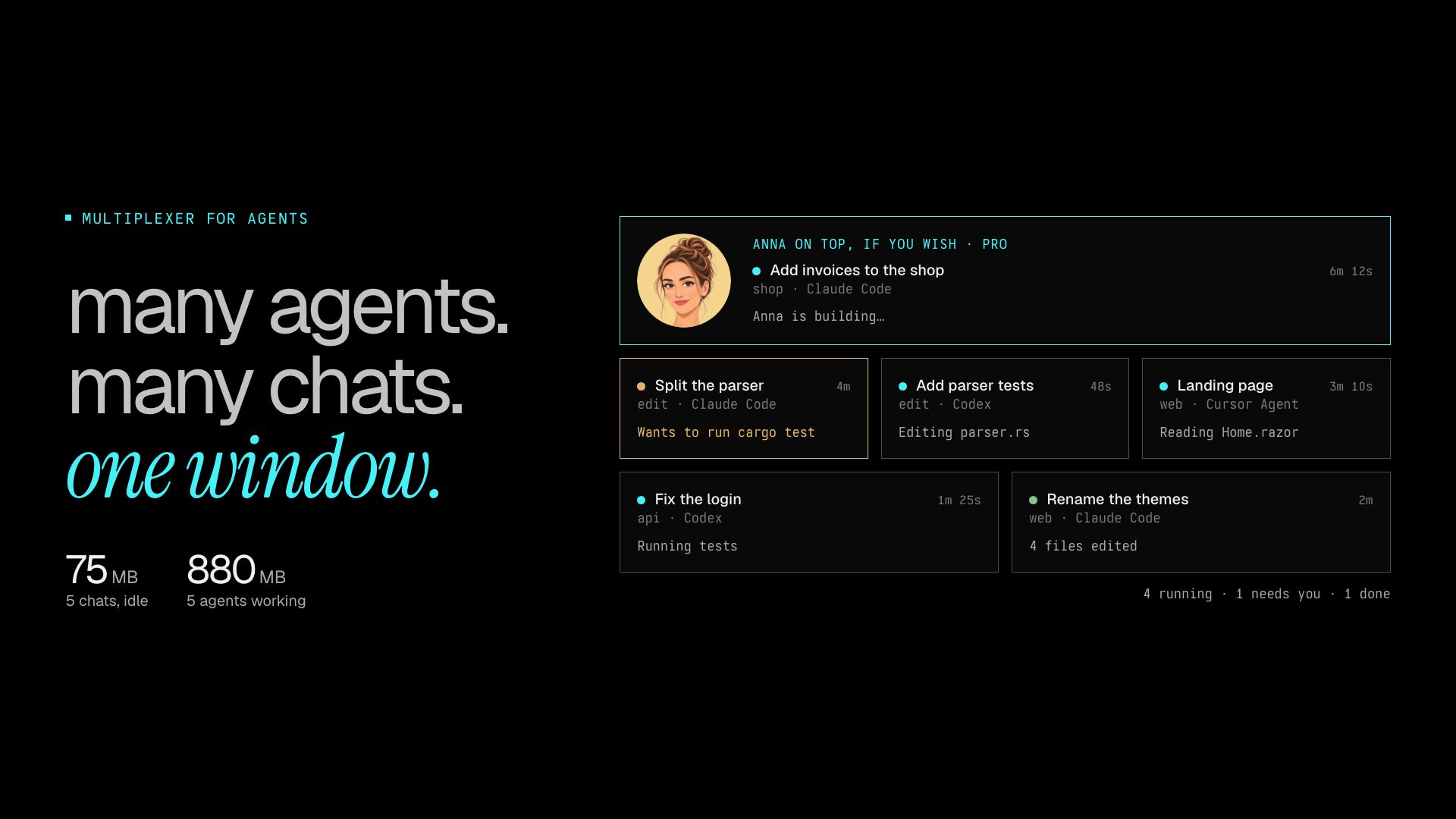
Edit is a multiplexer for agents. Claude Code, Cursor Agent and Codex run in many chats at once, across your folders, and never wait for each other. It stays light while they do. And if you wish, Anna on top: she plans and builds from one prompt. Anna is part of PRO.

Shrink to Capsule tucks a window or a chat into a pill of Liquid Glass in a corner, without closing it. Each pill says what it is doing and turns the accent when it needs you.

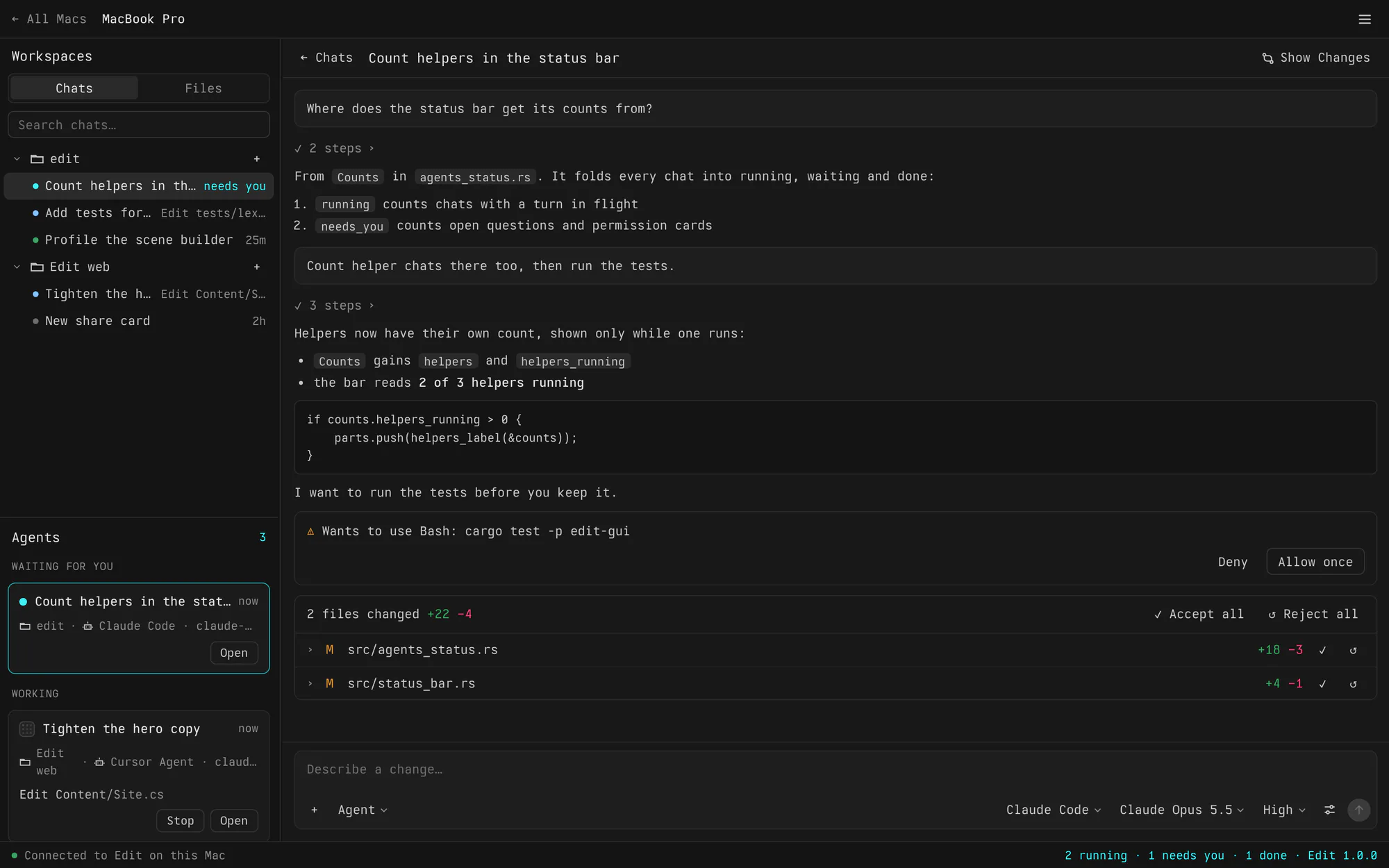
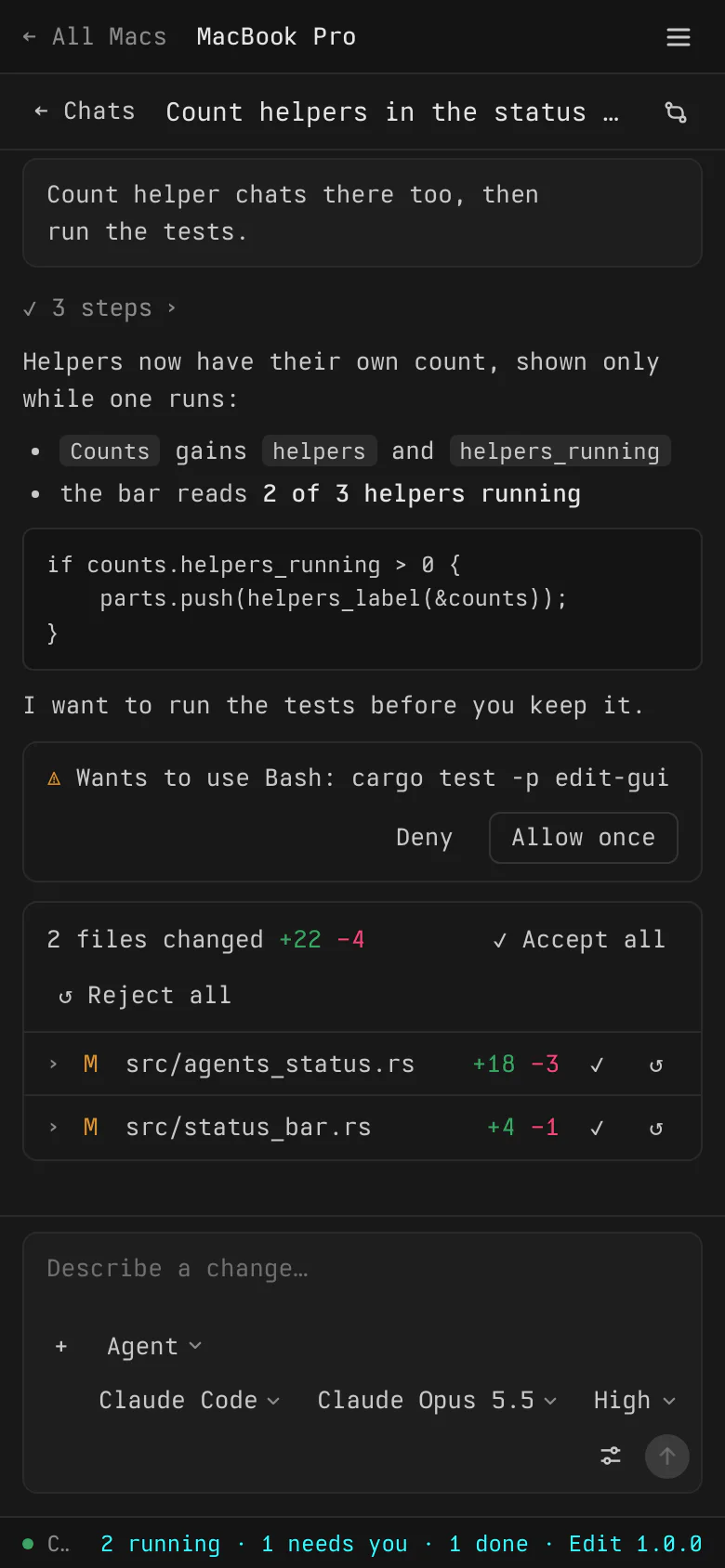
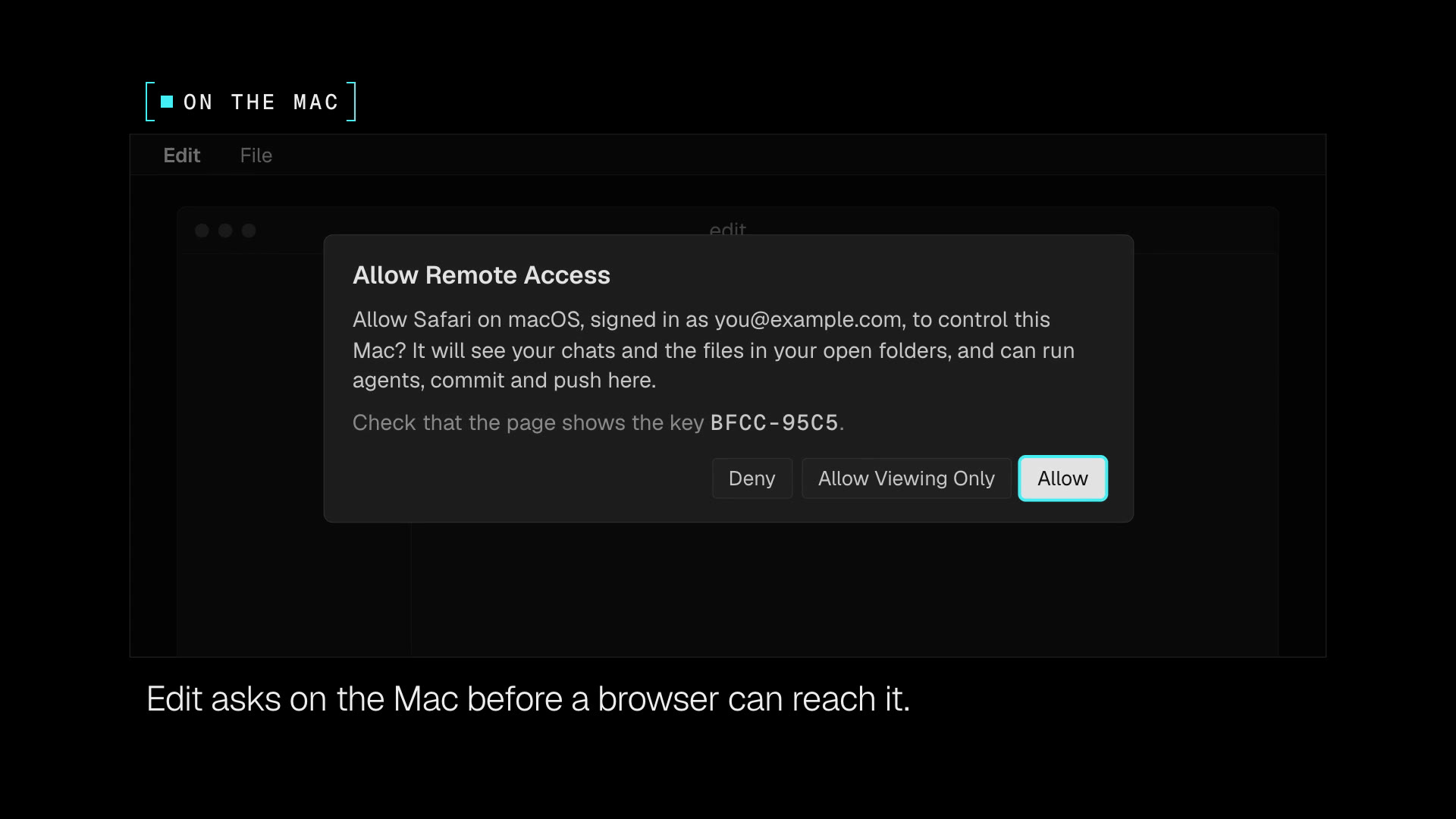
Leave the Mac working and steer it from a browser, on a laptop or a phone. Read every chat as it streams, answer what the agents ask, allow a command, and commit what they changed.

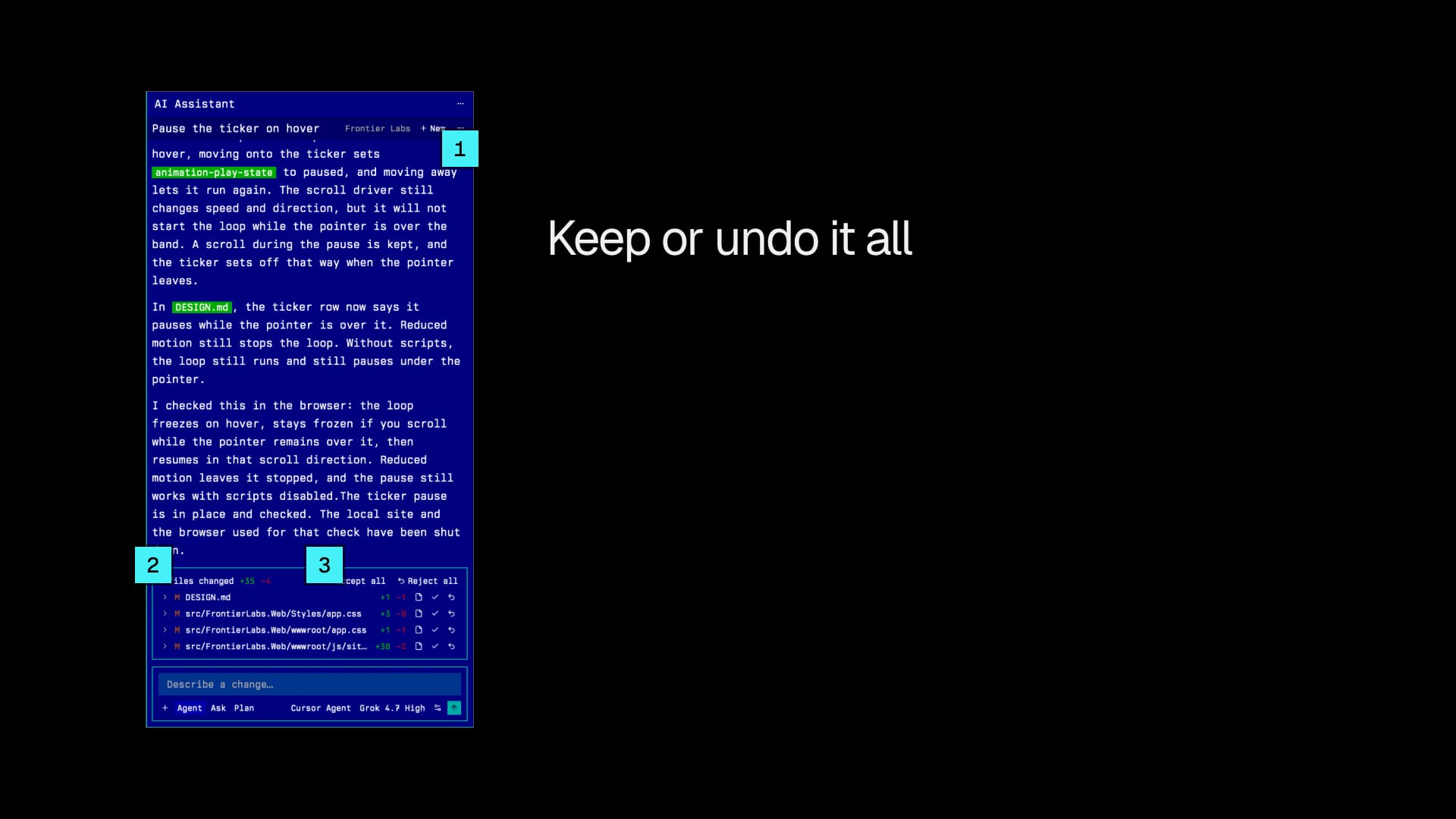
Before an agent starts, Edit takes a snapshot of the folder into a git repository of its own. When it stops, you see each file it touched and decide, file by file, what stays.

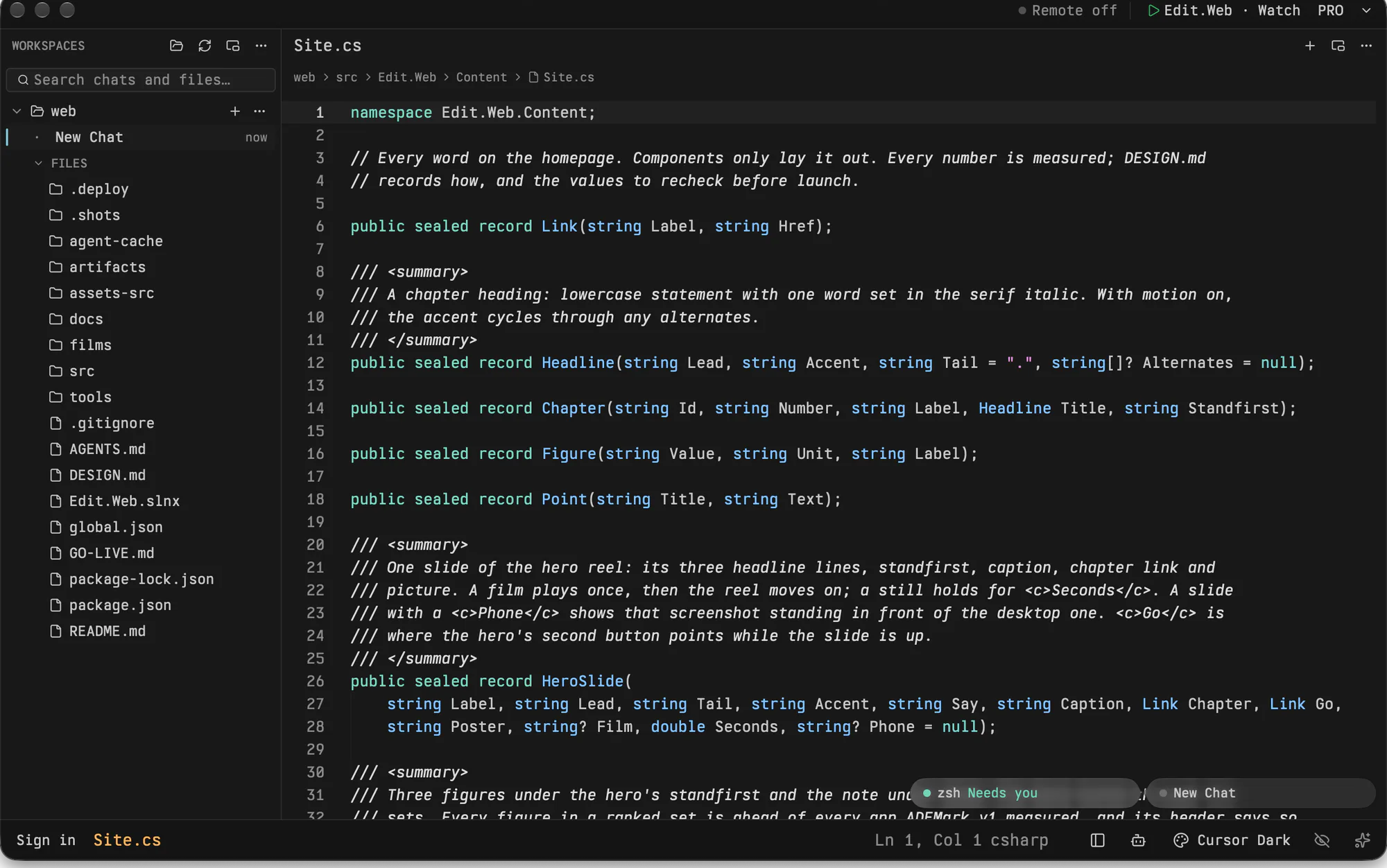
Open every project in one window and give a folder a display name, so you can tell two folders called Web apart. Each folder lists its chats, newest first, above its files.

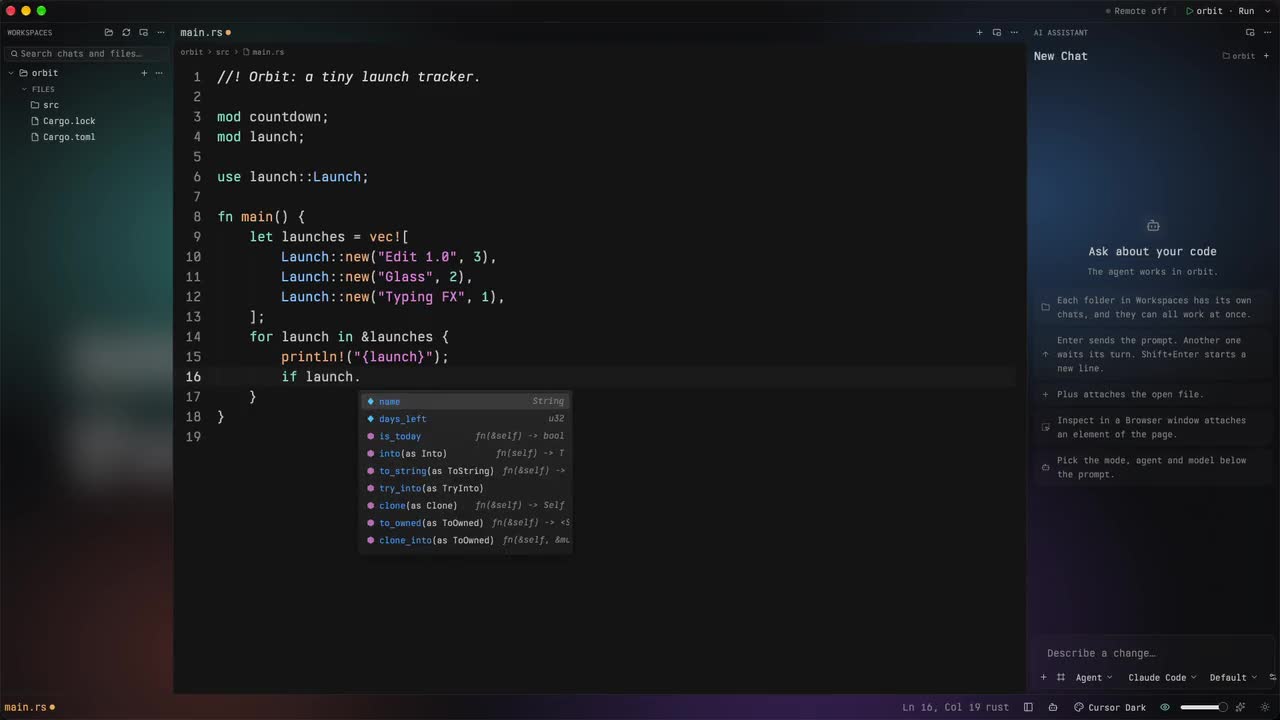
Completions come from rust-analyzer, gopls and csharp-ls as you type. Rust and C# show the kind, the signature and each parameter, and Tab accepts.

On macOS, Edit Dark and Violet Dark let the desktop show through, blurred by the system. A slider on the status bar sets the clarity, and the text, the caret and the syntax colors stay full strength.

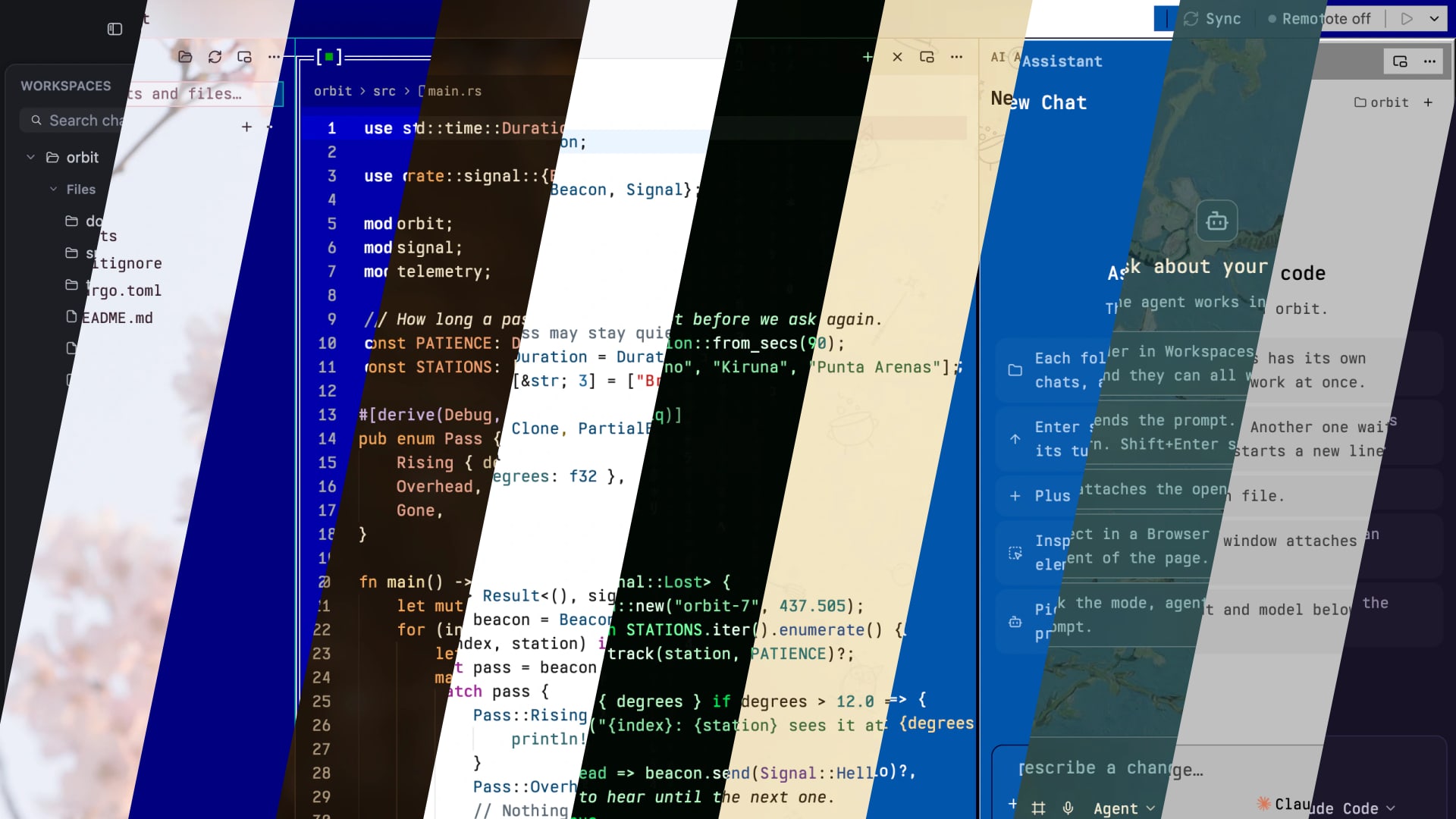
The same window in thirty-three themes: quiet darks, seasons, film screens, the Mac and the desktops of the nineties. The terminal version adds your terminal's own colors.

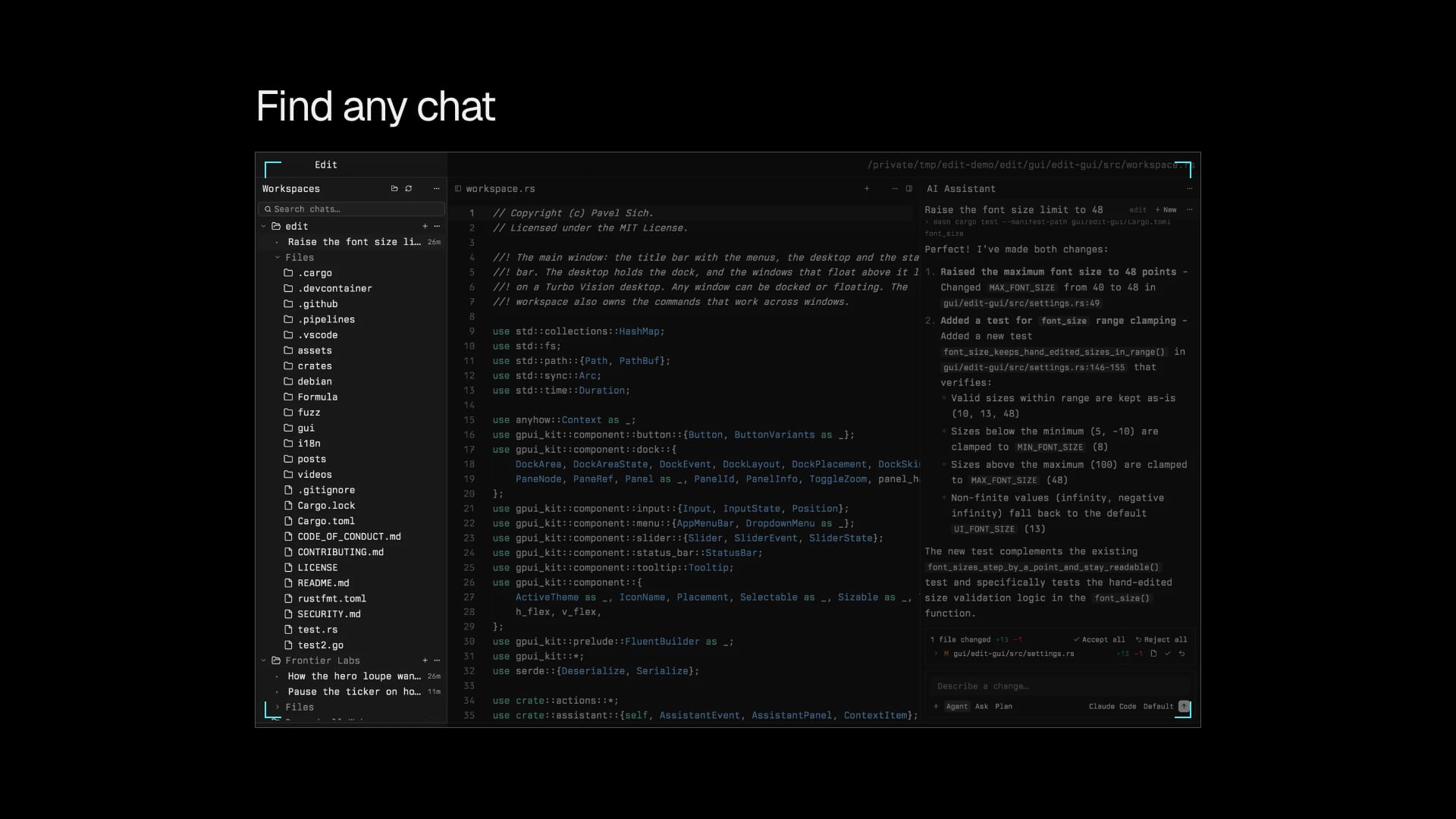
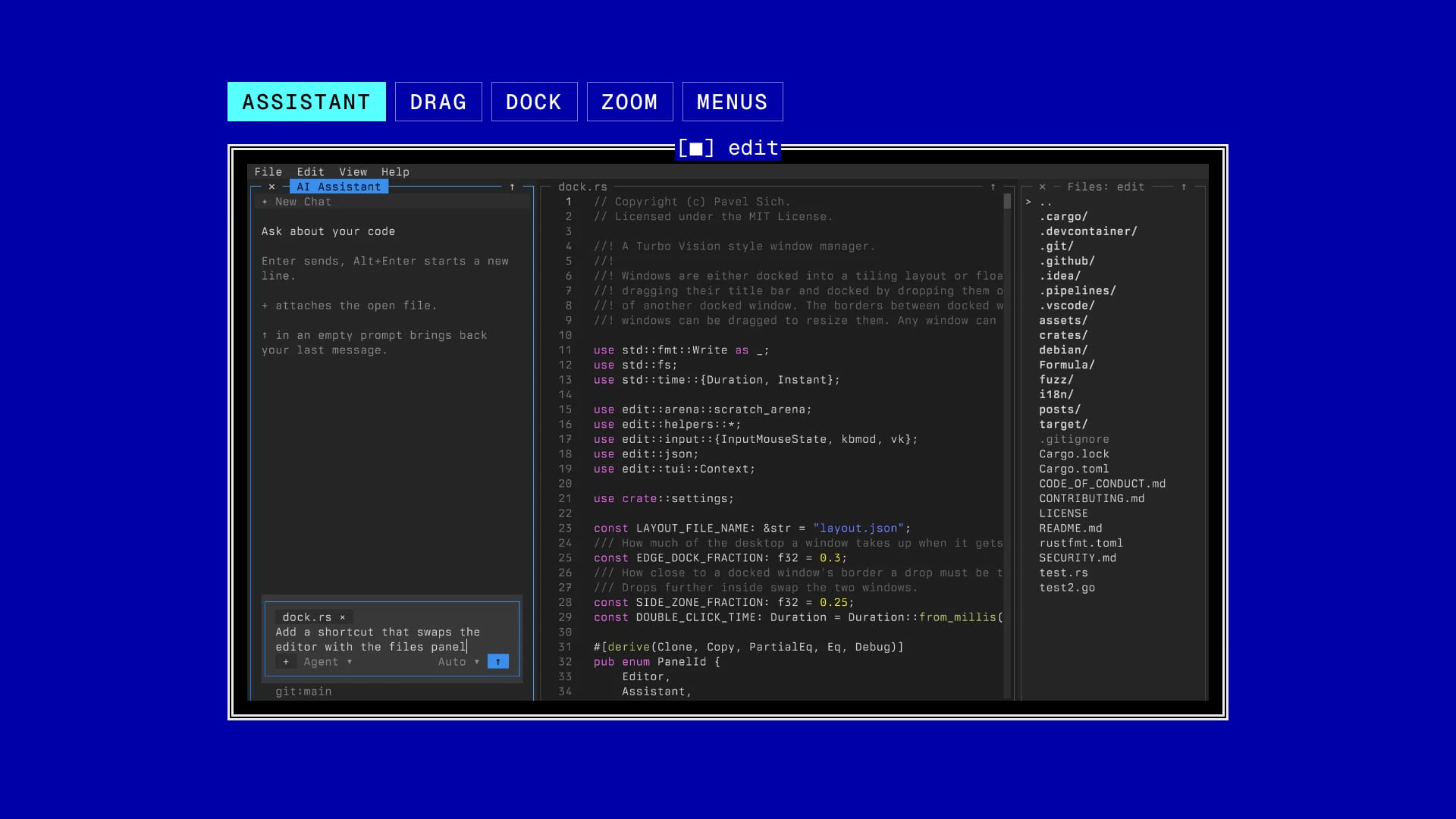
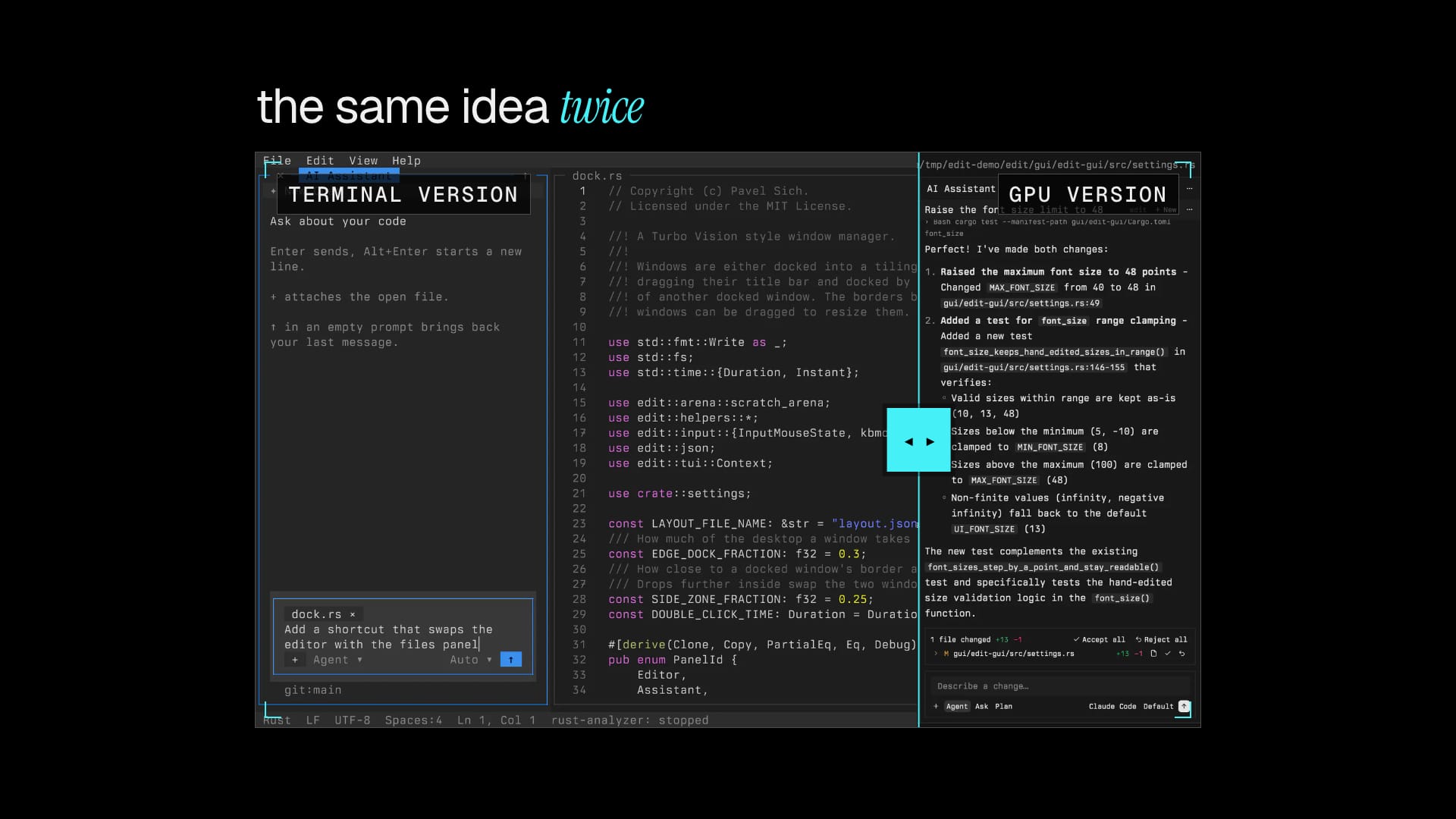
The terminal version runs the same agents, Anna included, in Turbo Vision windows. It runs over SSH, in a container or on a server, and the whole program is 443 KB.
Footprint

Memory, GPU app
78MB
Memory, terminal
1.5MB
Terminal binary
443KB

Release builds on an Apple M3 Max. Details under § 08.

Memory1st on all three

5 chats, idle
75MB
20 chats, idle
80MB
5 agents working
880MB

Ahead of every app ADEMark v1 measured. Edit's figures are ours, taken with ADEMark's own tools. Benchmarks

Speed1st on all three

Enter to first word
199ms
New chat ready
181ms
Open long thread
54ms

Ahead of every app ADEMark v1 measured. Edit's figures are ours, taken with ADEMark's own tools. Benchmarks

Tokens and CPU1st on all three

Tokens for "hi"
20.5k
Tokens, real prompt
68.2k
CPU at rest
0.02%

Ahead of every app ADEMark v1 measured. Edit's figures are ours, taken with ADEMark's own tools. Benchmarks

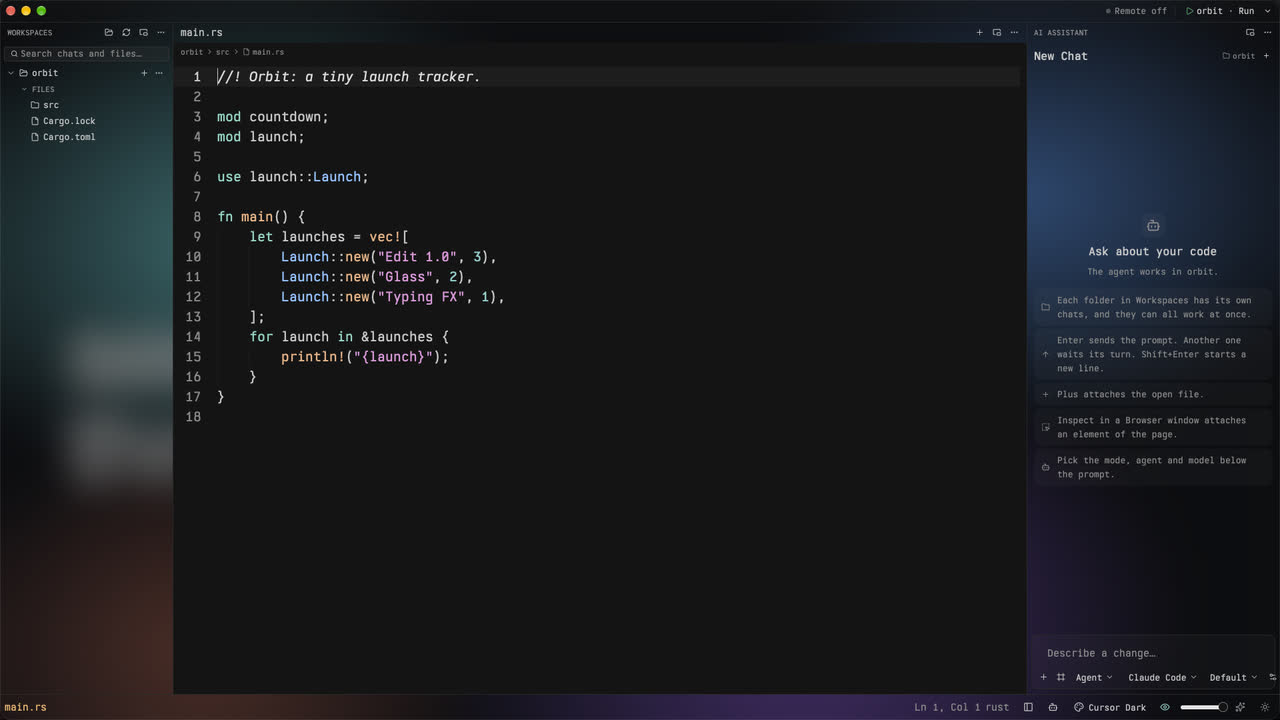
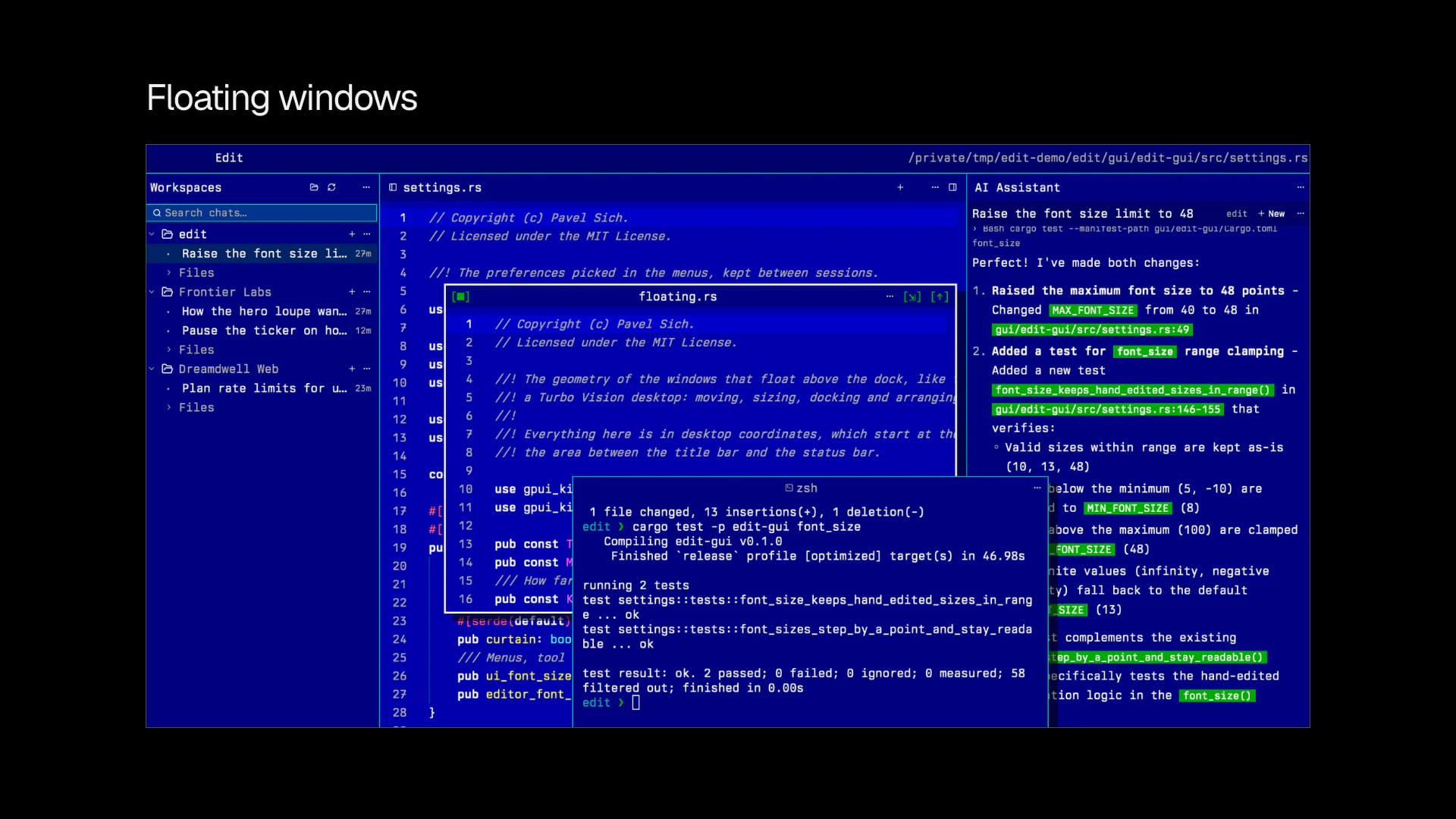
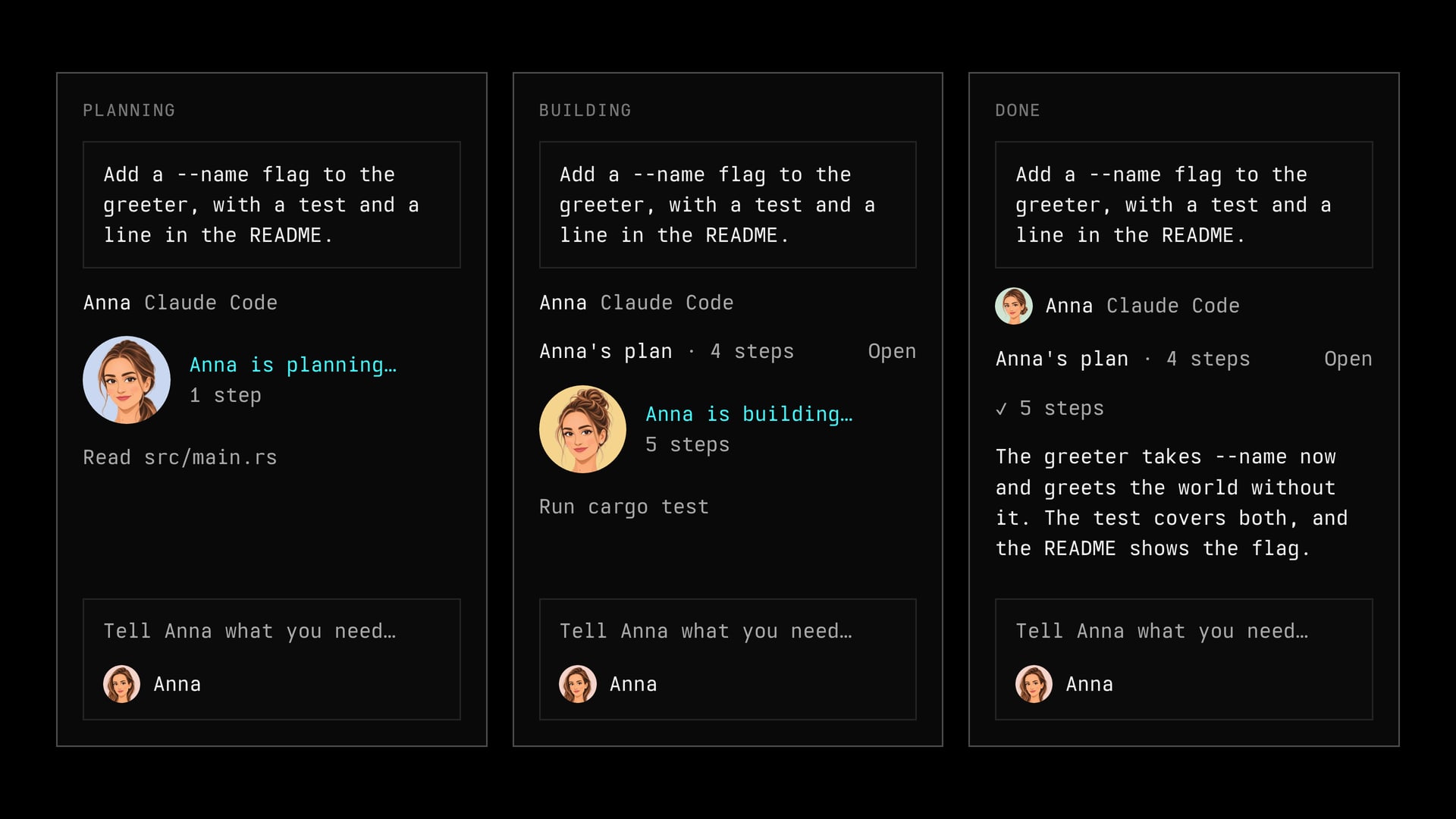
Fig. 01a · The same idea twice: docked windows, an editor and an AI Assistant. Left of the line, the terminal version in a terminal. Right of it, the GPU version, rendered by the app itself. § 08 Speed Fig. 01b · One reply of Anna's in its three phases: planning, building and done. A drawing with the apps' own lines and portraits. § 01 Anna Fig. 01c · Six chats in four folders: one waits for you, four work, one is done. Anna has the top one. A drawing; the chats are an example. Memory measured by us with ADEMark's tools on an Apple M3 Max; the 880 MB includes the agents. § 02 Agents Fig. 01d · A terminal and a chat put away over Site.cs. The terminal rang its bell, so its capsule turned teal. § 06 Capsules Fig. 01e · The remote page in a browser, and the same page on a phone. Real screenshots of the live page. The chats are an example. § 03 Remote Fig. 01f · What the agent did, every file it touched, and keeping or undoing it all or one file at a time. § 05 Diffs Fig. 01g · Three folders, each with its chats above its files. Two of them use display names. § 06 Workspaces Fig. 01h · Typing launch. in a Rust file opens the completion list with each member's signature, and is_today is picked. PRO IntelliSense Fig. 01i · The same window at four clarity steps, the desktop showing more through the sidebar and the assistant each time. PRO Glass Fig. 01j · One window cut into strips, each strip in a different theme. § 10 Themes Fig. 01k · The terminal version: the assistant, dragging a window to dock it, zoom, and the menus. § 07 Terminal version

Black Friday

Black Friday: PRO for 1 EUR the first month, then 9 EUR a month, or 99 EUR once. For the first 5000 buyers.

PRO monthly

1EUR the first month, then 9 EUR a month instead of 19

Claim my offer

PRO lifetime

99EUR once instead of 399

Claim my offer

Edit is free to download and open. PRO turns on Anna, who plans and builds from one prompt, and everything below. One purchase covers both apps.

See what PRO turns on

The codes FIRST1 and LIFE99 are applied at checkout. No account is needed: PRO is assigned to the email you pay with.

Try all of PRO free for 7 days, once per account. No card. Start it in Edit from any PRO feature, signed in.

Chapters · 10

everything it does, page by page.

  1. 01 Anna Anna is a mode in Edit's assistant, beside Agent, Ask and Plan. Tell her once what you need. She reads the code, writes the plan, builds it and checks it, all in one reply.

    One promptThe planThe buildRely on herEverywhere

  2. 02 Agents Claude Code, Cursor Agent and Codex run as the tools you already installed and signed in to. Each folder keeps its own chats. Several work at once and never wait for each other, and the Agents tab shows every one of them. The agents need no extra account and no key from Edit.

    AgentsSkillsAnswers

  3. 03 Remote access Leave the computer working and steer it from a browser, on a laptop or a phone. Read every chat as it streams, answer what the agents ask, allow a command, keep their changes and commit them. Claude Code, Cursor Agent and Codex keep running on your computer.

    PairingIn the browserOn a phoneTrustUnder the hood

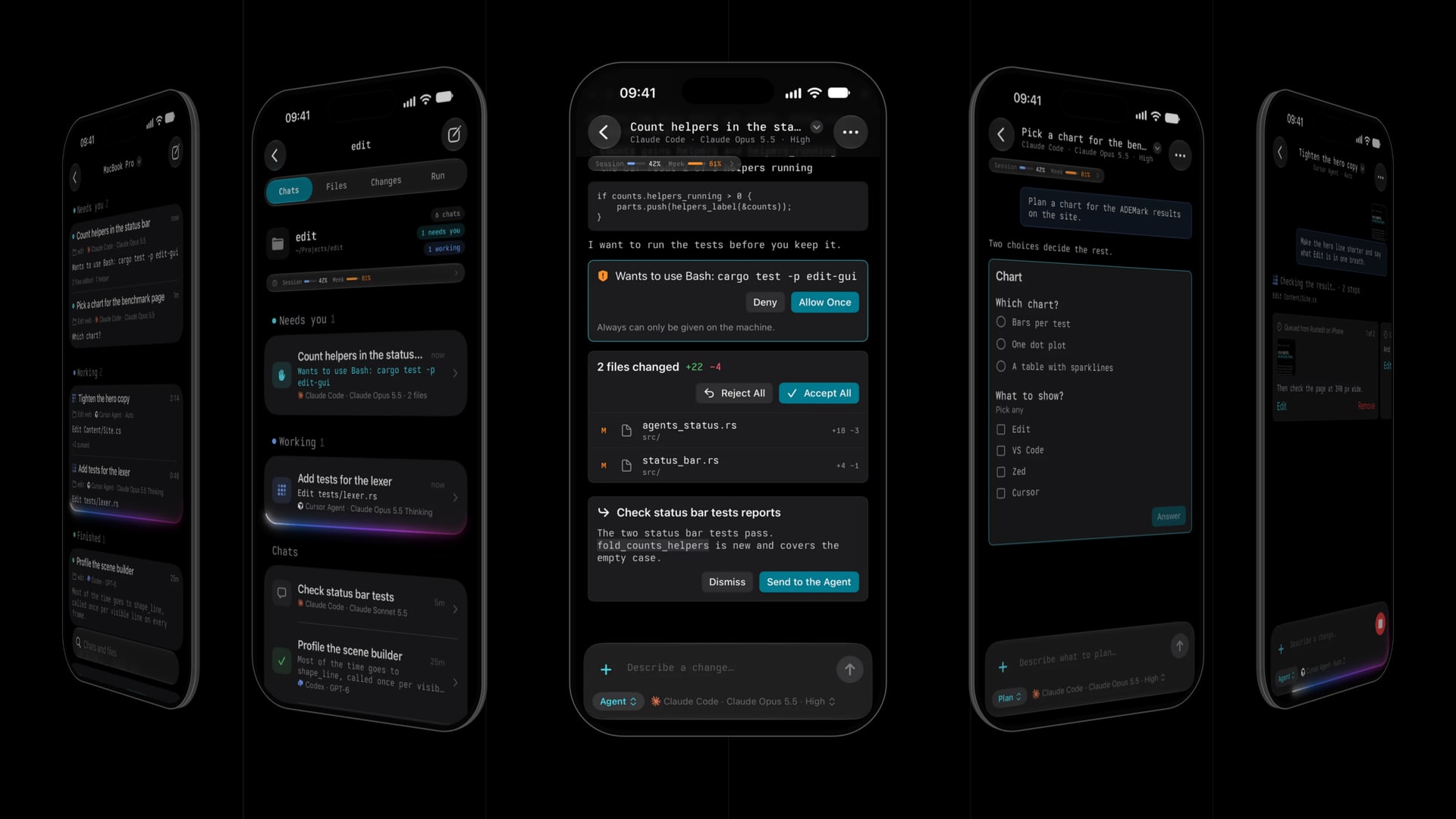
  4. 04 Rustedit for iPhone and Android Rustedit is Edit's app for iPhone and Android. Claude Code, Codex and Cursor Agent keep working on your computer while you follow every chat, answer, review, run and deploy from your phone.

    The app, screen by screenAt a glanceDynamic IslandAnswerThe appPrivate

  5. 05 Diffs You stay on the decision. Before an agent starts, Edit takes a snapshot of the folder into a git repository of its own. When it stops, you see each file it touched and decide, file by file, what stays. Your own .git is never touched.

    DiffsChanges

  6. 06 One window Everything is a window on one Turbo Vision desktop, all of it visible at once, for the night owls who live in the terminal and keep working. Dock it to an edge, split it, float it, or zoom it. The layout is there again when you come back.

    One windowNew · CapsulesWorkspacesRunStatus barCommand palette

  7. 07 Terminal version The terminal version runs the same agents, Anna included, in Turbo Vision windows. It runs over SSH, in a container or on a server, and the whole program is 443 KB.
    Terminal version

  8. 08 Speed Edit is written in Rust on GPUI, the framework Zed is built on. Text, panels and terminals are drawn by the graphics card through Metal, so the frame you see is the frame itself. The agents run as their own processes, and the editor keeps up while they stream.
    SpeedBenchmarks

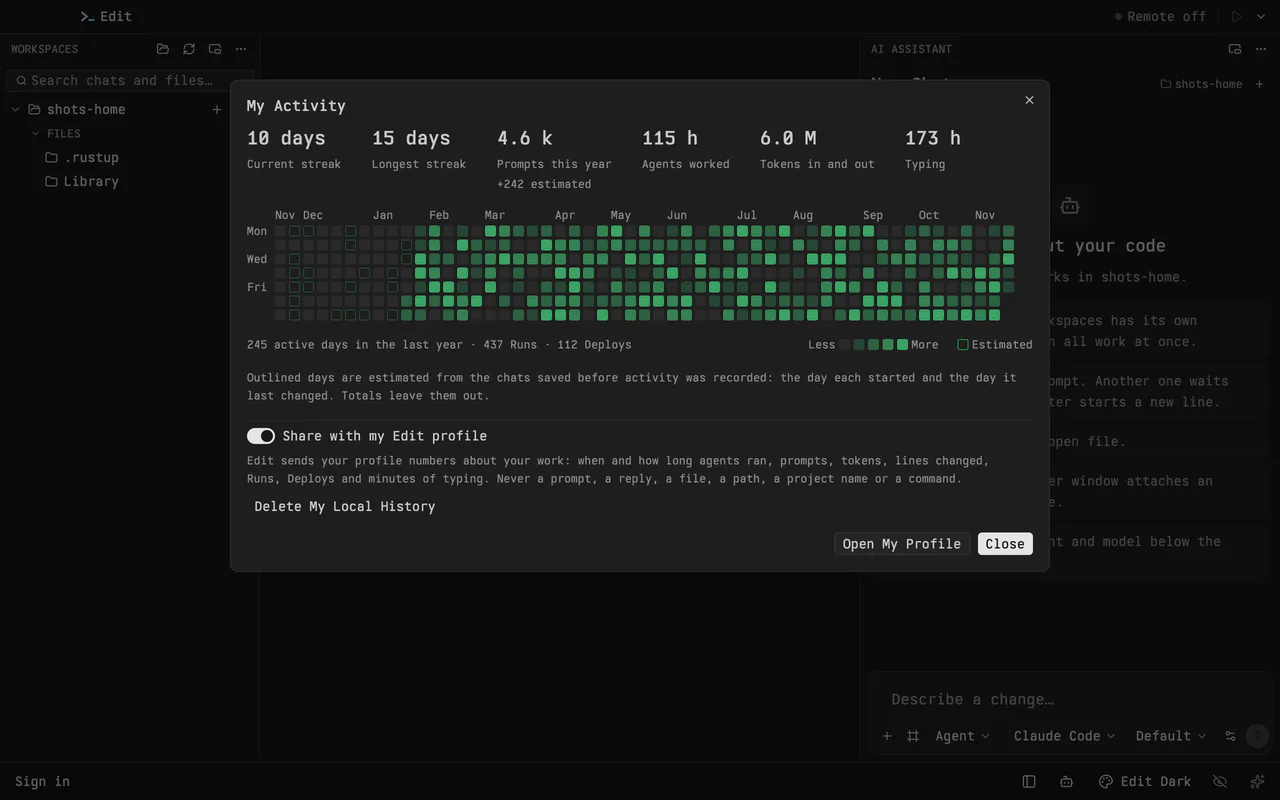
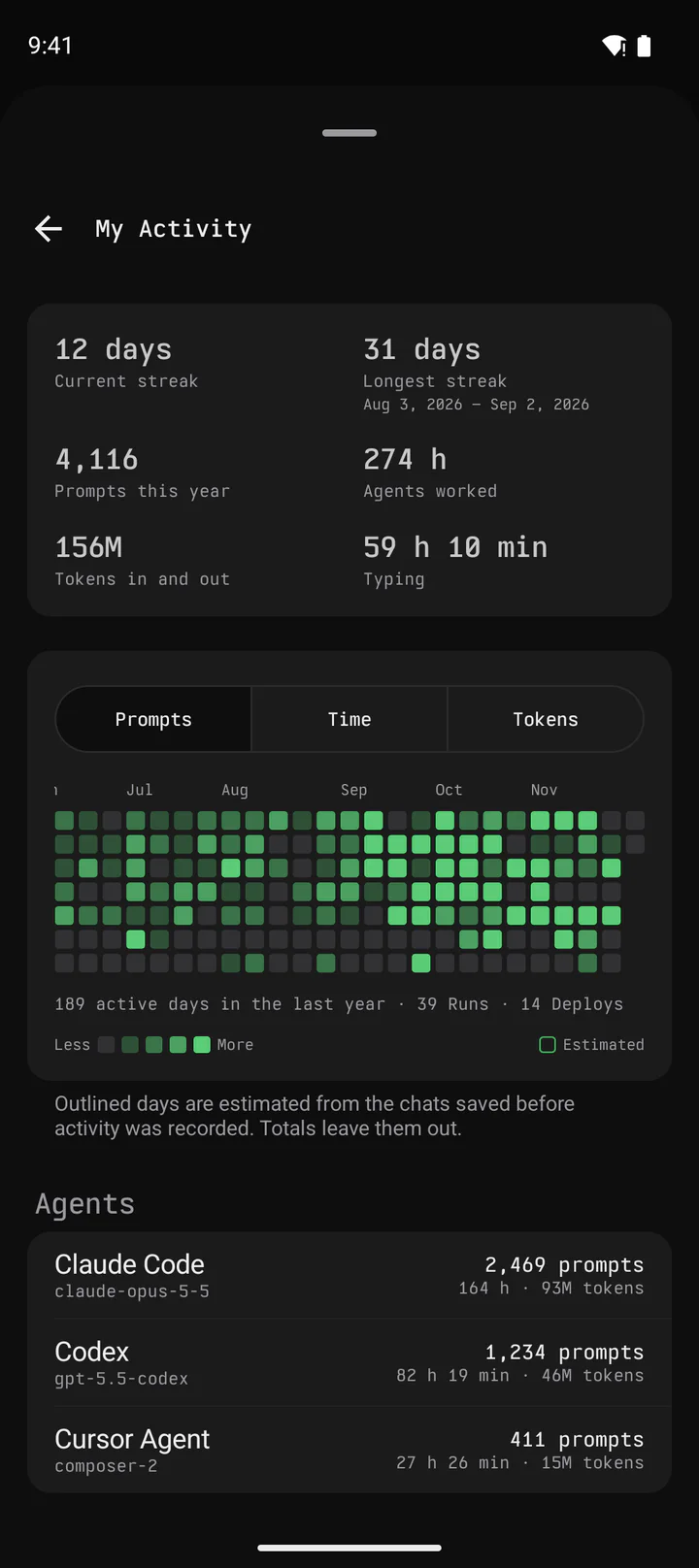
  9. 09 Activity Your year with agents at a glance: streaks, prompts, time and tokens on your own profile. Numbers only, and private until you share it.

    StreaksThe profileIn EditSharePrivate

  10. 10 Themes One window, thirty-three ways. Some change the colors, some the whole window frame, and thirteen put a picture behind your code. Edit Panel is the default. The terminal version has eighteen of them, and one it makes from the colors your terminal already uses.

    ThemesPRO Glass

MorePRO MCP servers Benchmarks Questions Philosophy Trust

Meet Anna · Edit PRO

anna knows best.

ANNA: Autonomous Neural Network Automator

Anna is a mode in Edit's assistant, beside Agent, Ask and Plan. Tell her once what you need. She reads the code, writes the plan, builds it and checks it, all in one reply.

Part of Edit PRO. Anna works with the agent you picked, in the GPU app and in the terminal version.

  1. Anna with her hair down.

    Ready

    Tell Anna what you need…

    Hair down. She waits for one prompt.

  2. Anna with her hair in a ponytail.

    Planning

    Anna is planning…

    A ponytail. She reads the code and writes the plan. Nothing changes yet.

  3. Anna with her hair in a messy bun.

    Building

    Anna is building…

    A messy bun. She carries the plan out and checks the result.

  4. Anna with her hair in a low bun.

    Done

    Anna's plan

    A low bun. She says what she did, and one line under her name opens the plan.

Her hair says what she is doing, in the GPU app, on your phone and in the browser. The lines are the apps' own.

Why you can rely on her

  1. Autonomous

    One prompt is enough. She plans and builds in the same reply, and nobody approves the plan in between.

  2. Plans first

    Before anything changes she only reads. Her plan is numbered steps that name the files and symbols to change, and how to check the result.

  3. Rigorous and methodical

    Then she carries out the plan, every change in it. The plan stays with the reply and opens with a click.

  4. Precise

    She does what the request needs. A question gets an answer, not a build, and when the choice is yours she asks before she plans.

  5. Tested

    The plan says how to check the result. She runs those checks with the commands you allow, then tells you in a few lines what she did.

  6. Reliable

    In the GPU app, Edit snapshots the project folder before she builds, so you can review the files she changed and keep or undo each one.

and with taste. because she is anna.

Rustedit for iPhone and Android · coming soon

step away, stay in charge.

Native apps for iPhone and Android. The agents keep working on your computer, and you steer them from wherever you are.

Rustedit for iPhone and Android

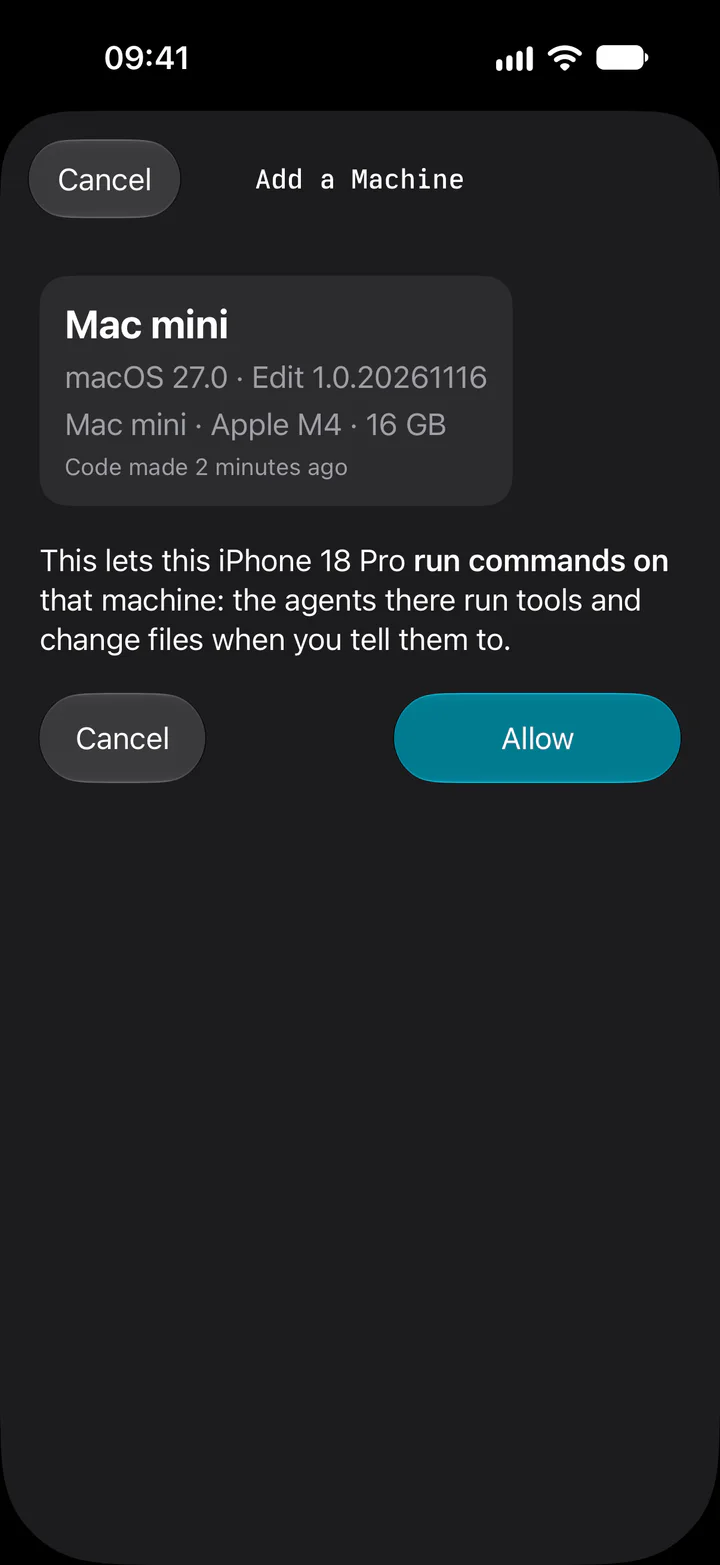
  1. Rustedit on iPhone: adding a machine, Mac mini, with Cancel and Allow.
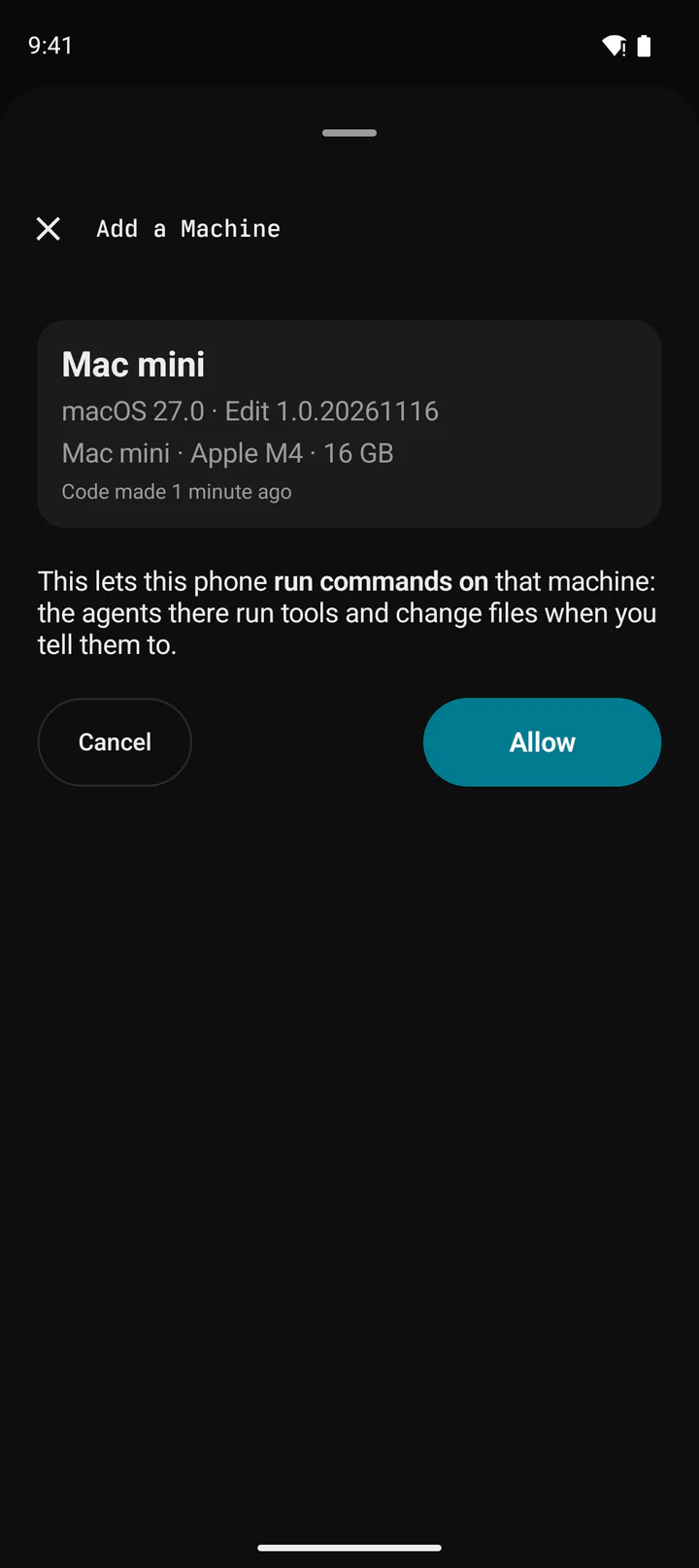
    Rustedit on Android: adding a machine, Mac mini, with Cancel and Allow.

    01 · Scan, compare, allow. Edit shows a QR code. Scan it, and allow the phone on your computer.

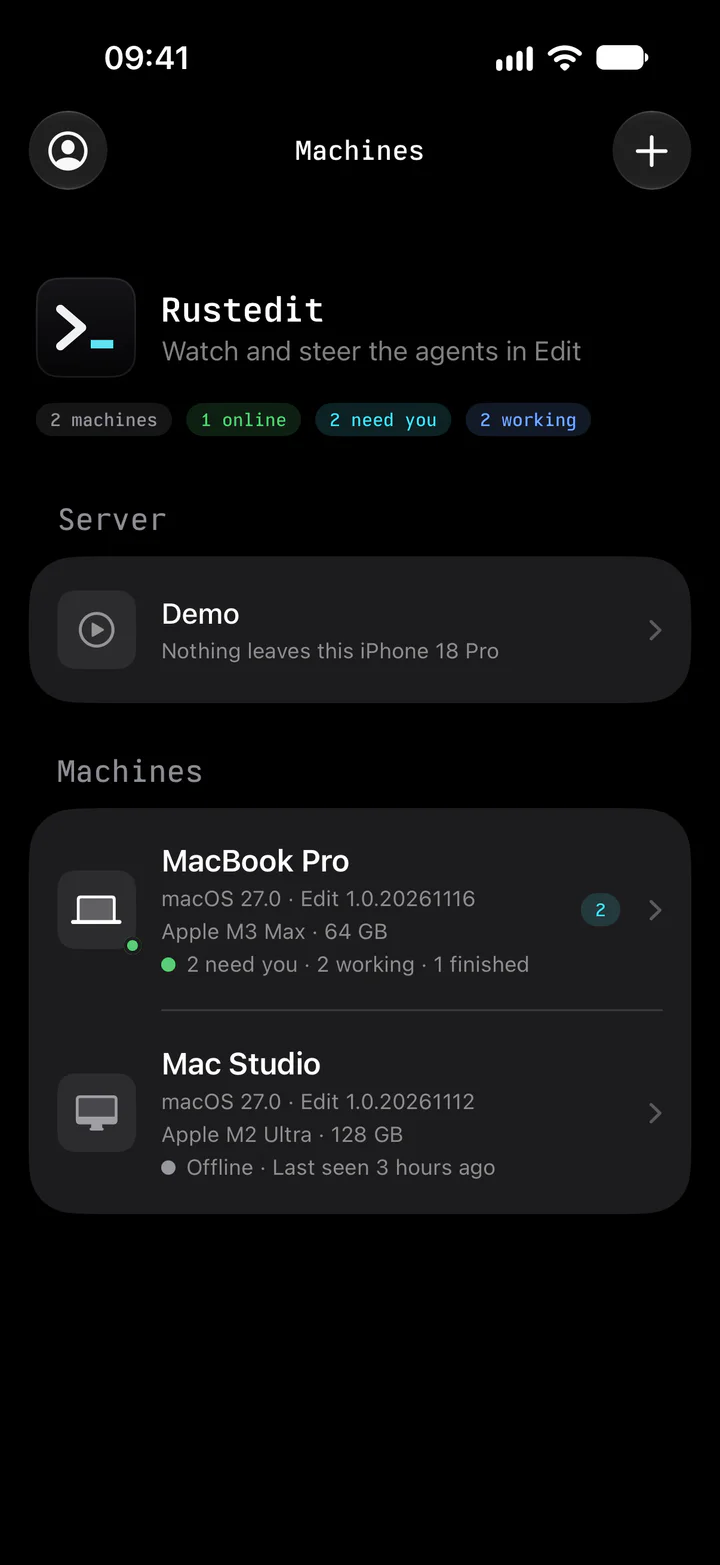
  2. Rustedit on iPhone: Machines, with MacBook Pro online, 2 need you and 2 working, and Mac Studio offline.
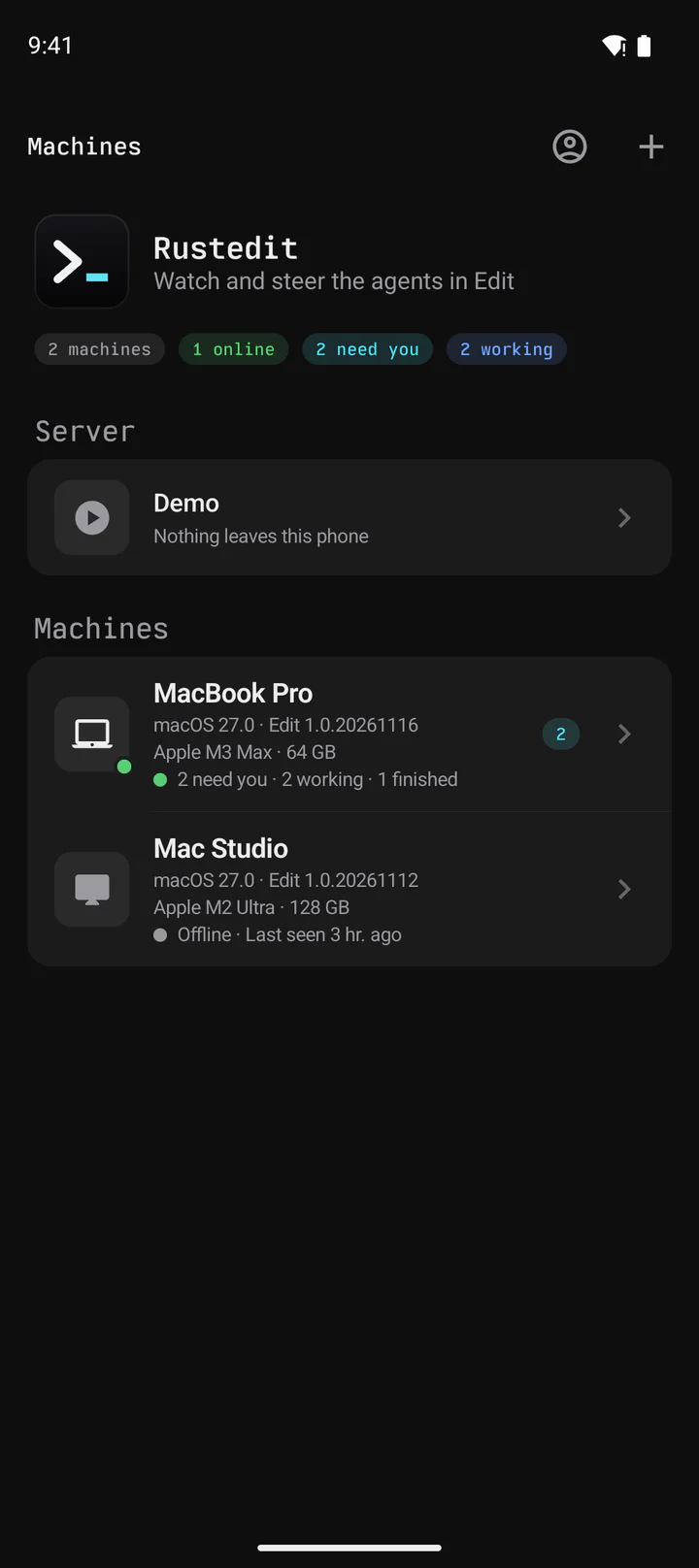
    Rustedit on Android: Machines, with MacBook Pro online, 2 need you and 2 working, and Mac Studio offline.

    02 · Every machine, live. Which is online, how many chats need you, how many work and how many finished.

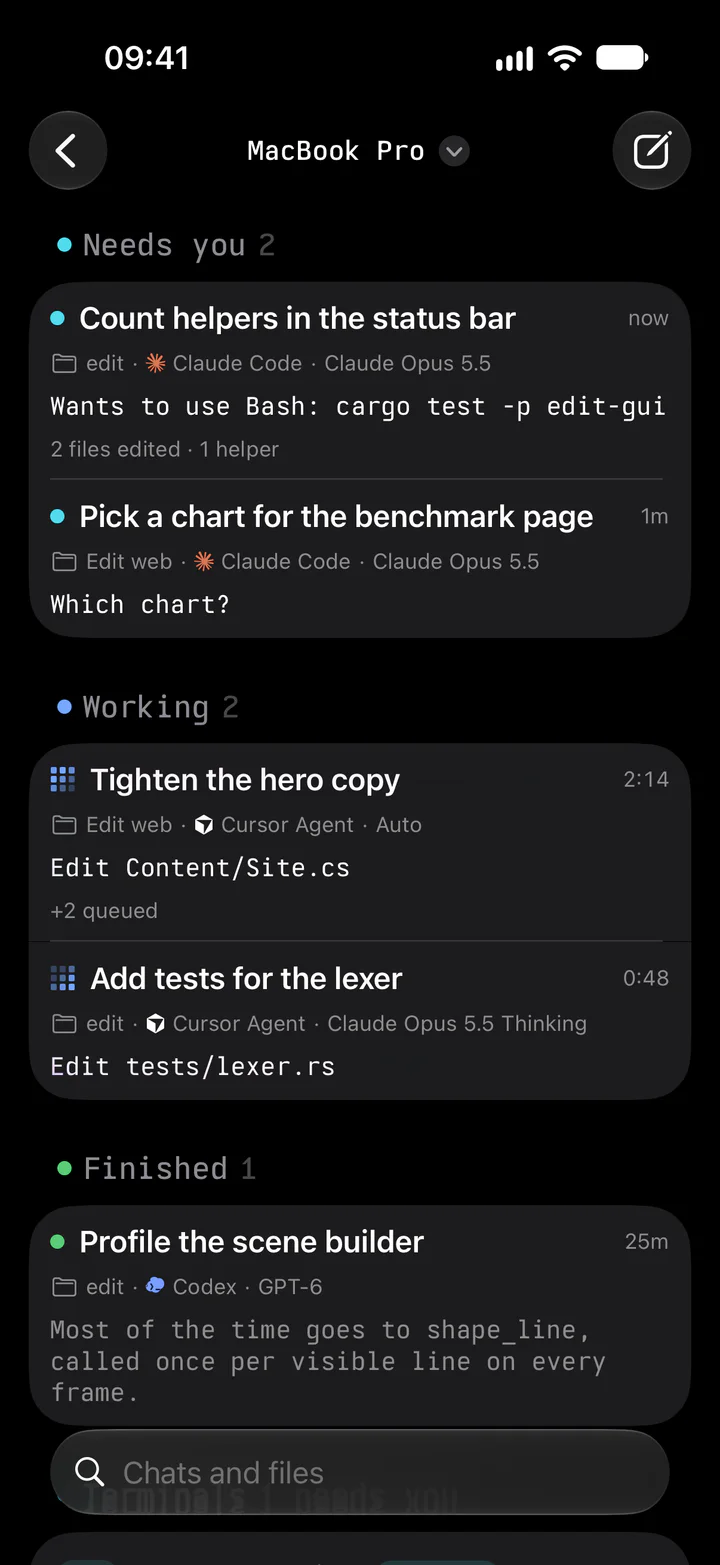
  3. Rustedit on iPhone: MacBook Pro with two chats that need you, two working and one finished.
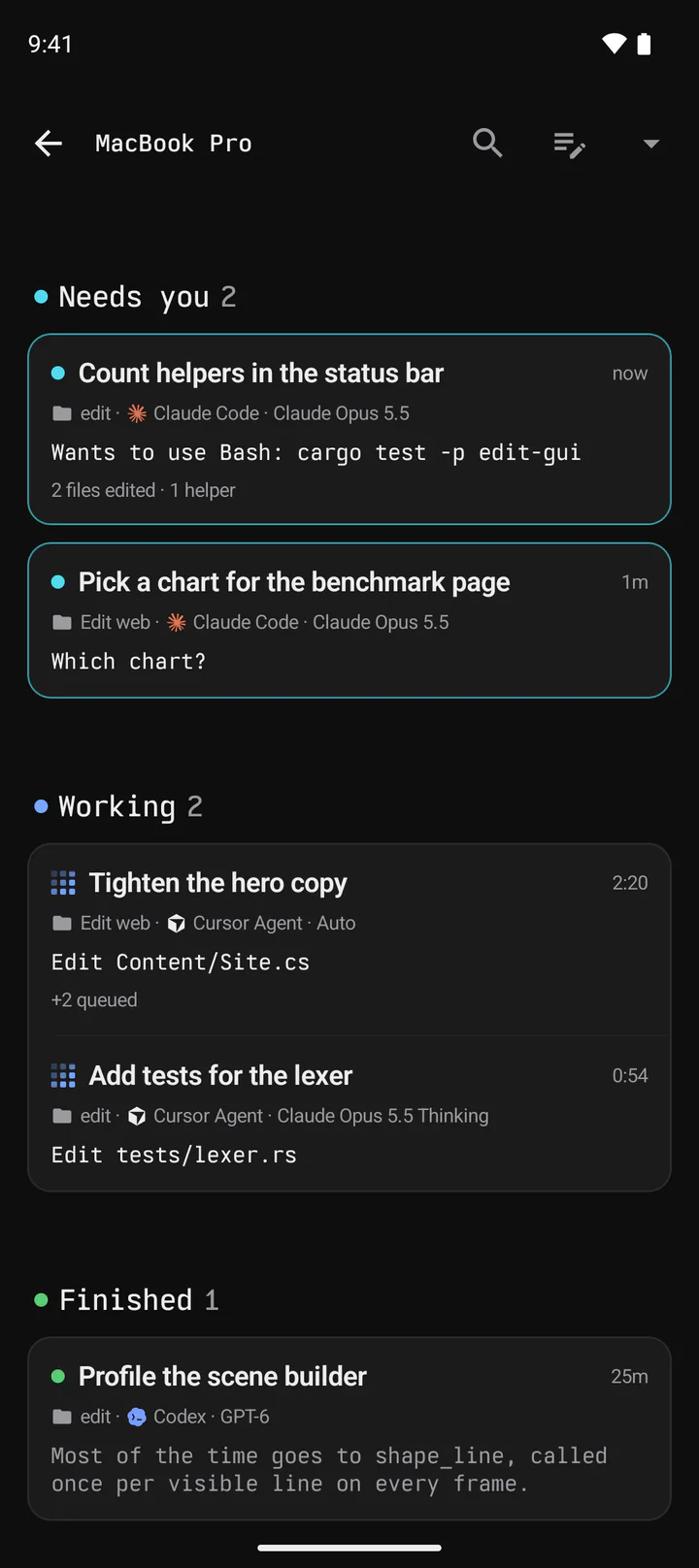
    Rustedit on Android: MacBook Pro with two chats that need you, two working and one finished.

    03 · What needs you comes first. Then what is working, with its step and its clock, then what finished.

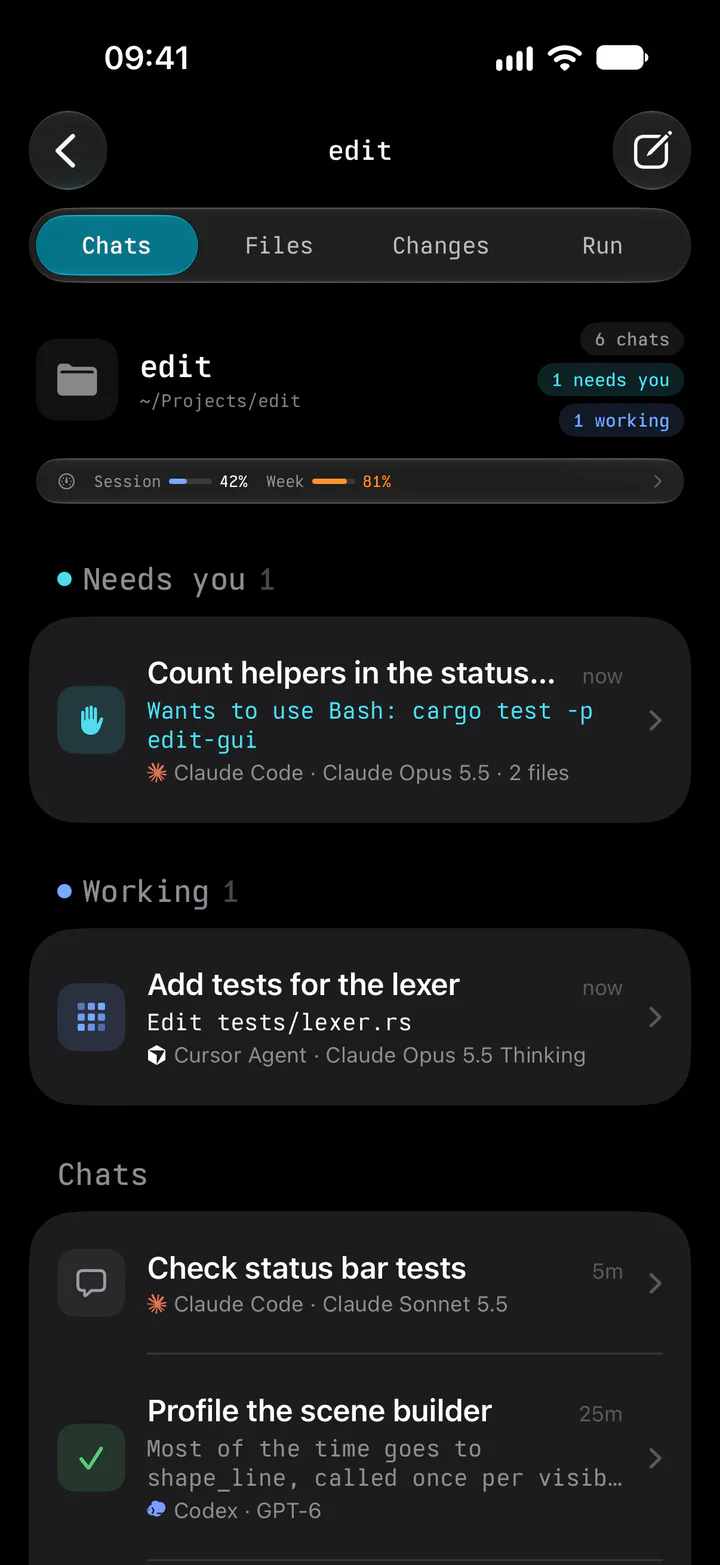
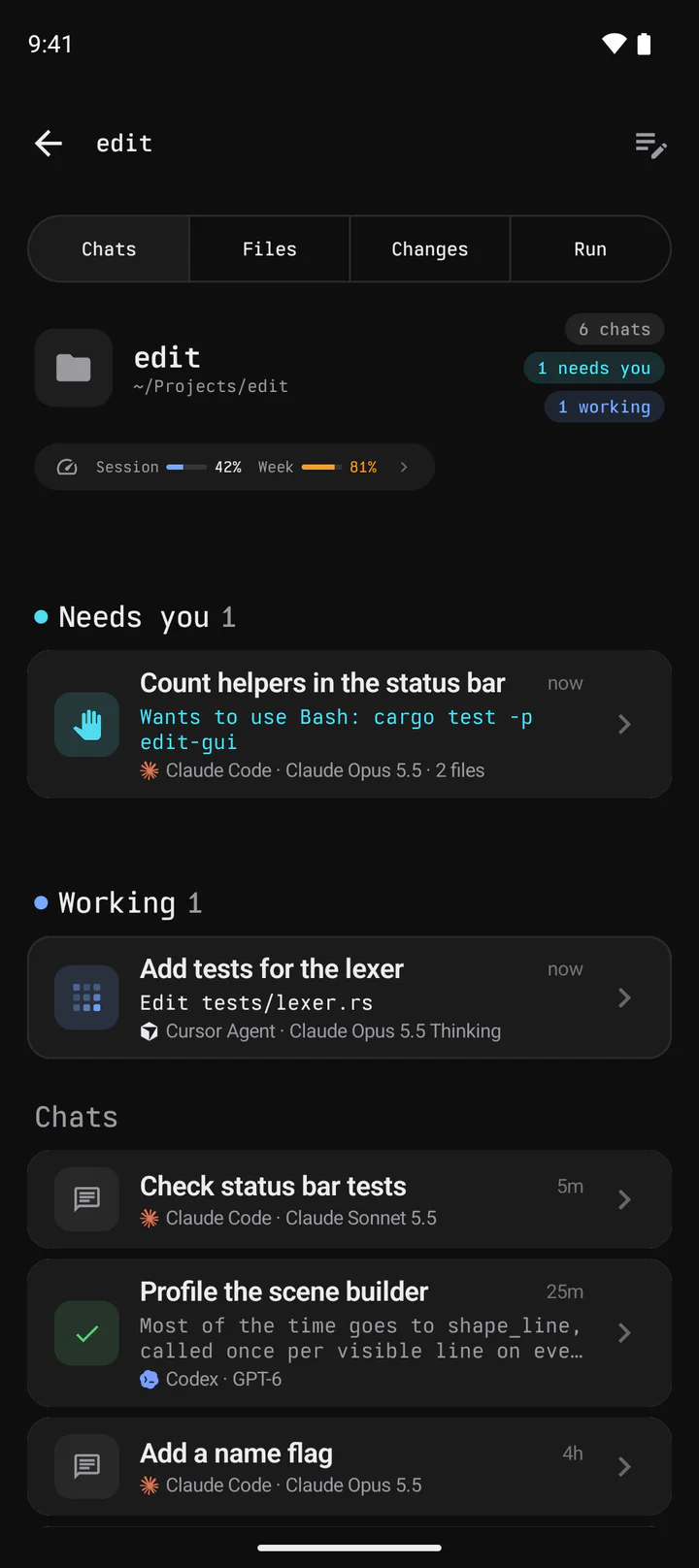
  4. Rustedit on iPhone: the folder edit with its chats, one working and one that needs you.
    Rustedit on Android: the folder edit with its chats, one working and one that needs you.

    04 · A project in four tabs. Chats, Files, Changes and Run, under what is left of your session and week.

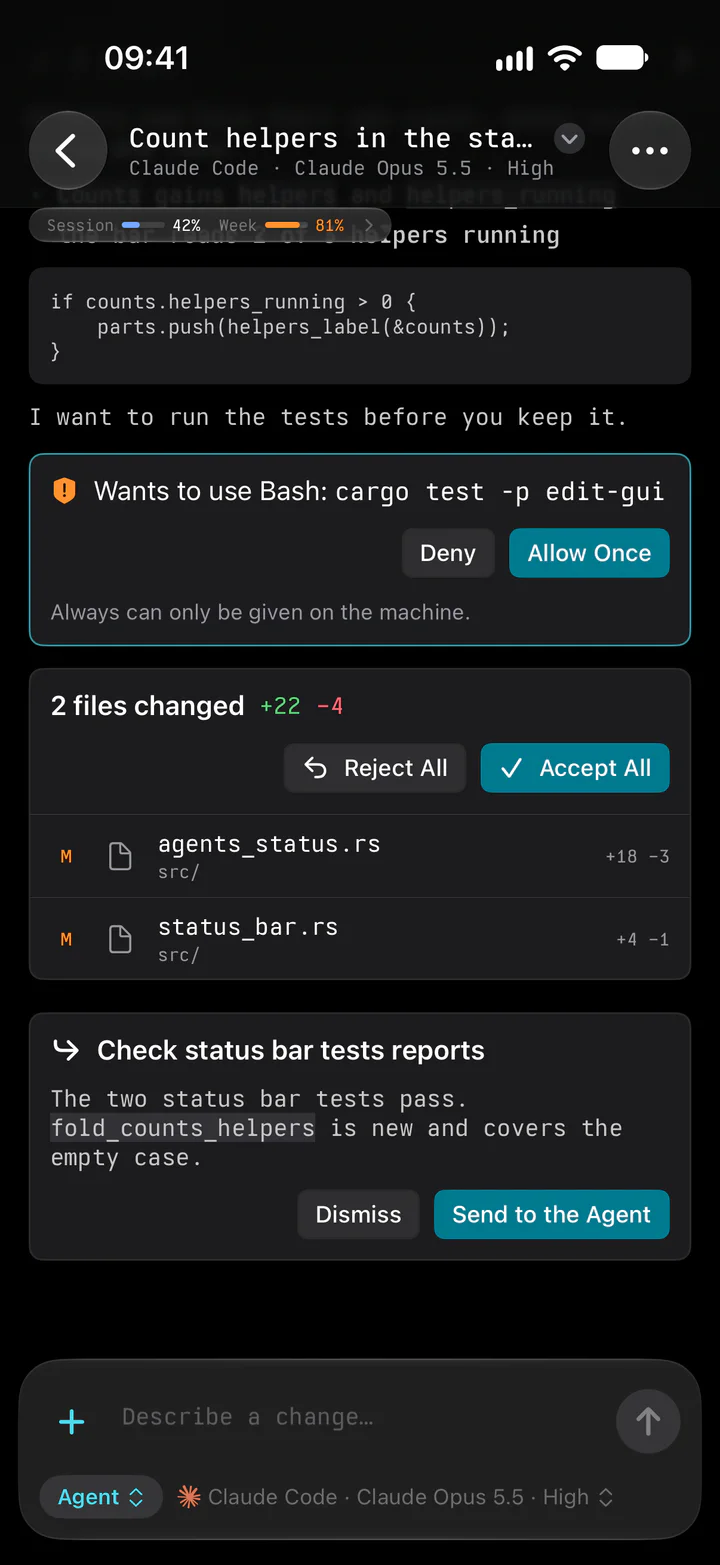
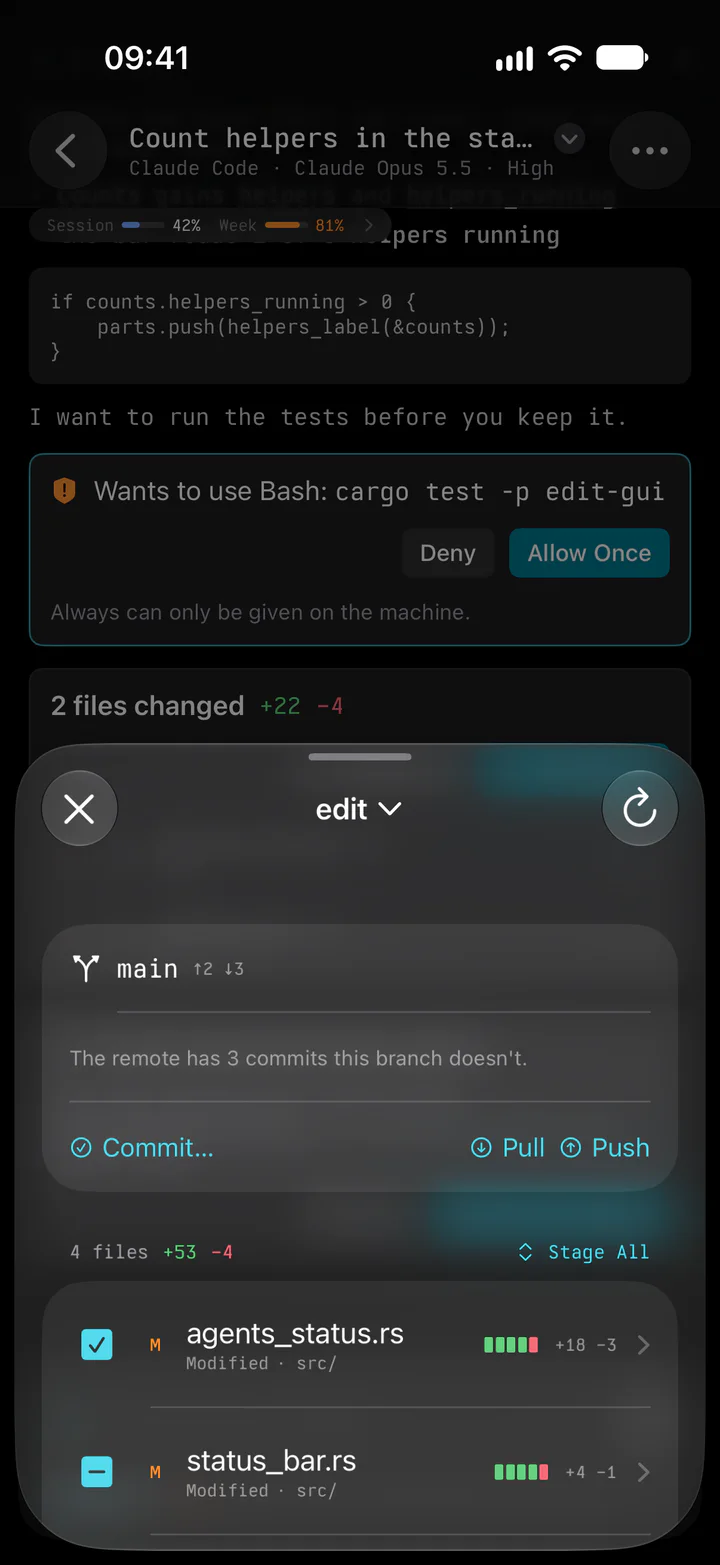
  5. Rustedit on iPhone: a Claude Code chat asking to use Bash: cargo test -p edit-gui, with Deny and Allow Once, and 2 files changed.
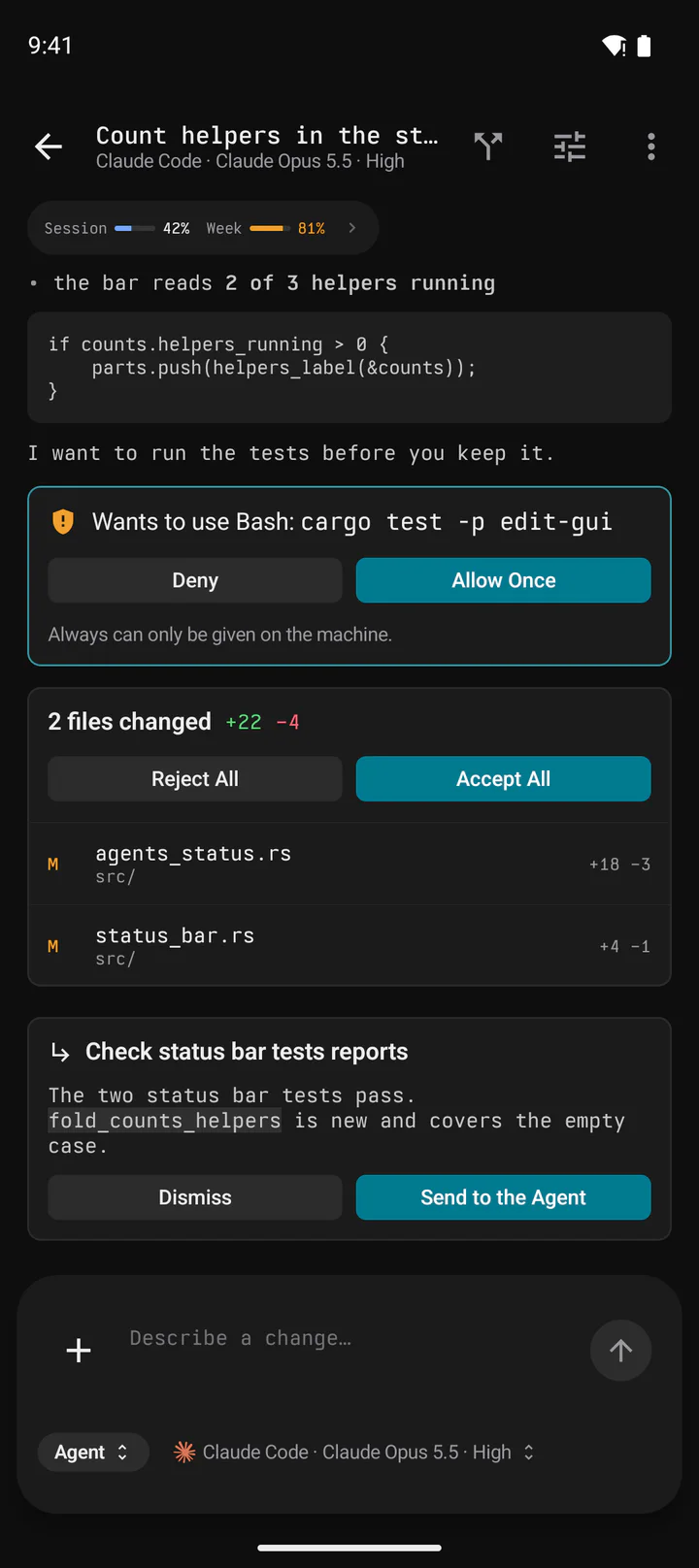
    Rustedit on Android: a Claude Code chat asking to use Bash: cargo test -p edit-gui, with Deny and Allow Once, and 2 files changed.

    05 · Allow once, or deny. The agent asks before it runs a command. The files it changed wait right below.

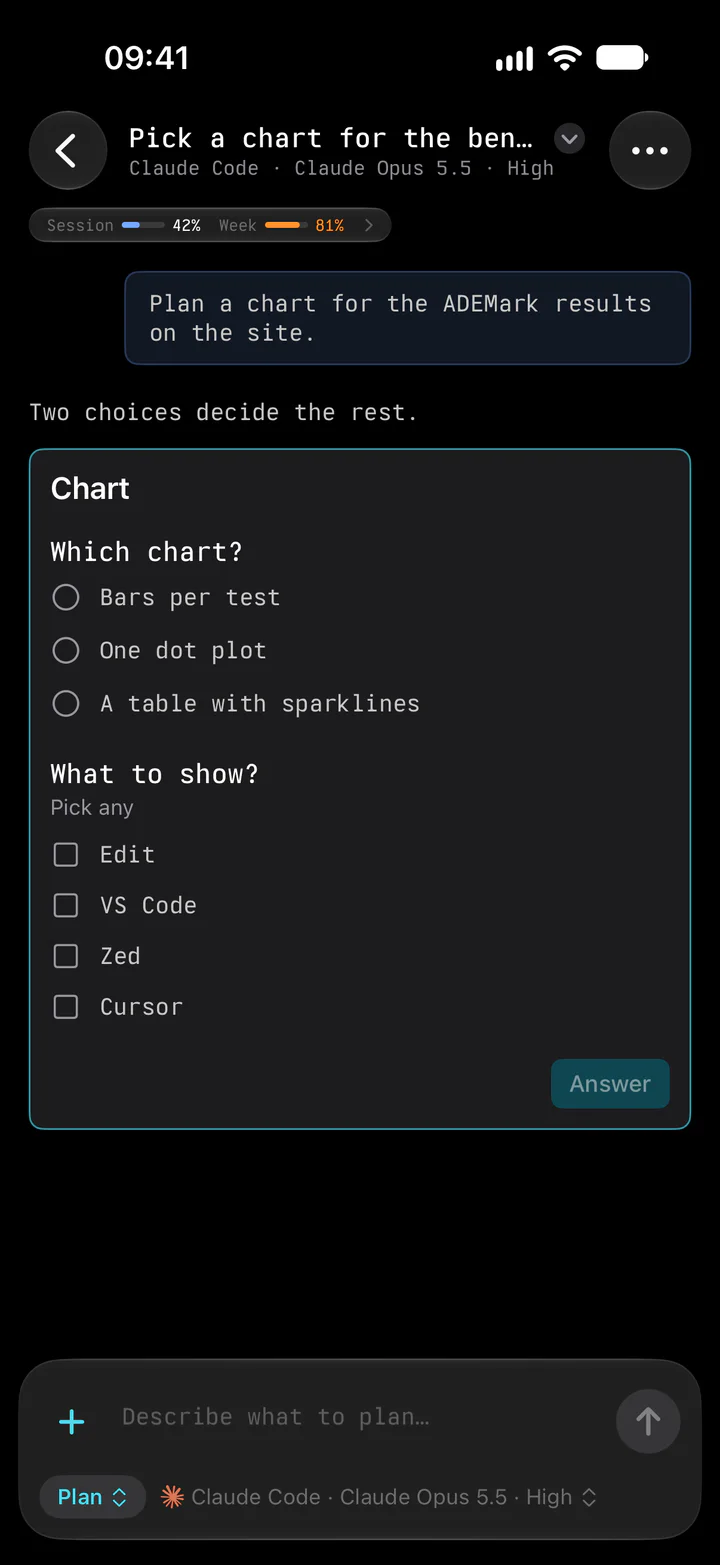
  6. Rustedit on iPhone: a plan's questions: which chart, and what to show, with options to pick.
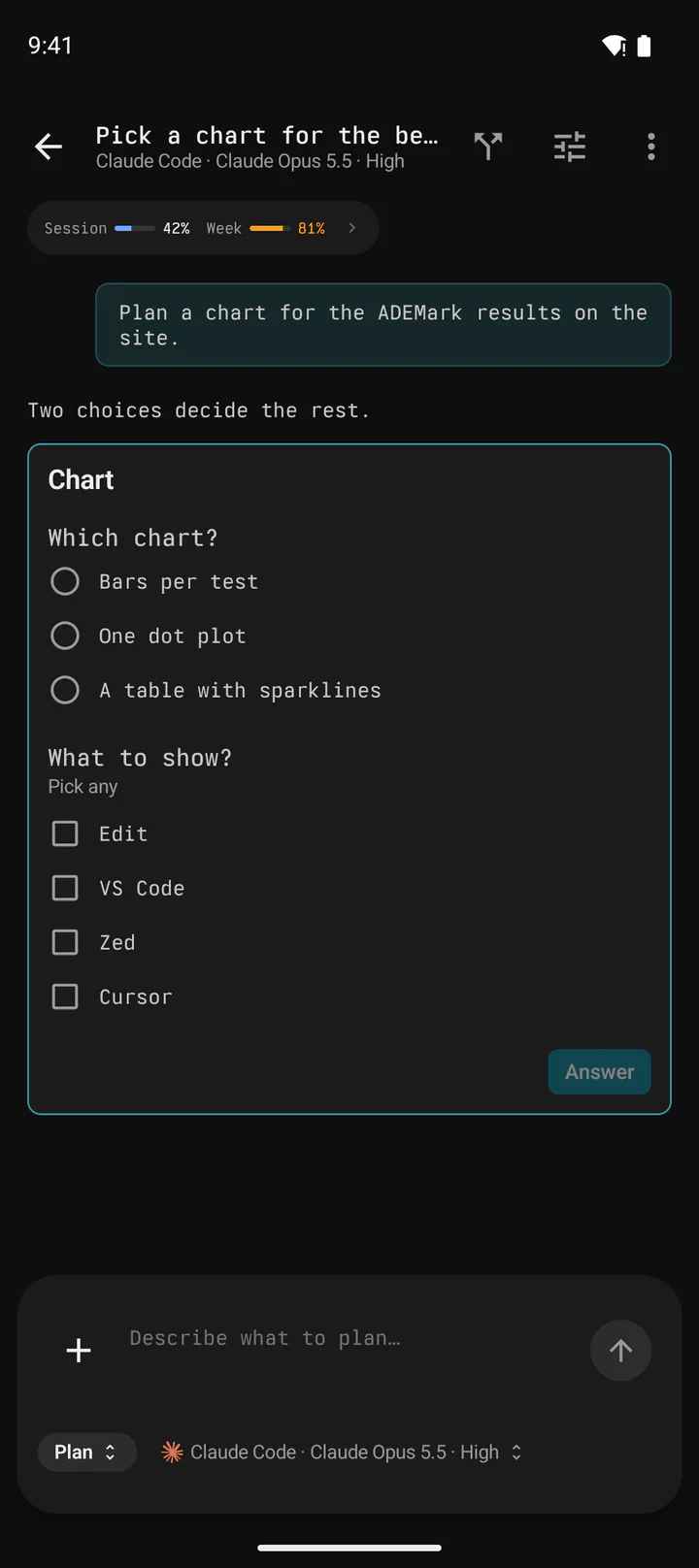
    Rustedit on Android: a plan's questions: which chart, and what to show, with options to pick.

    06 · Answer in a few taps. When an agent stops to ask, its questions are a form. Pick and send.

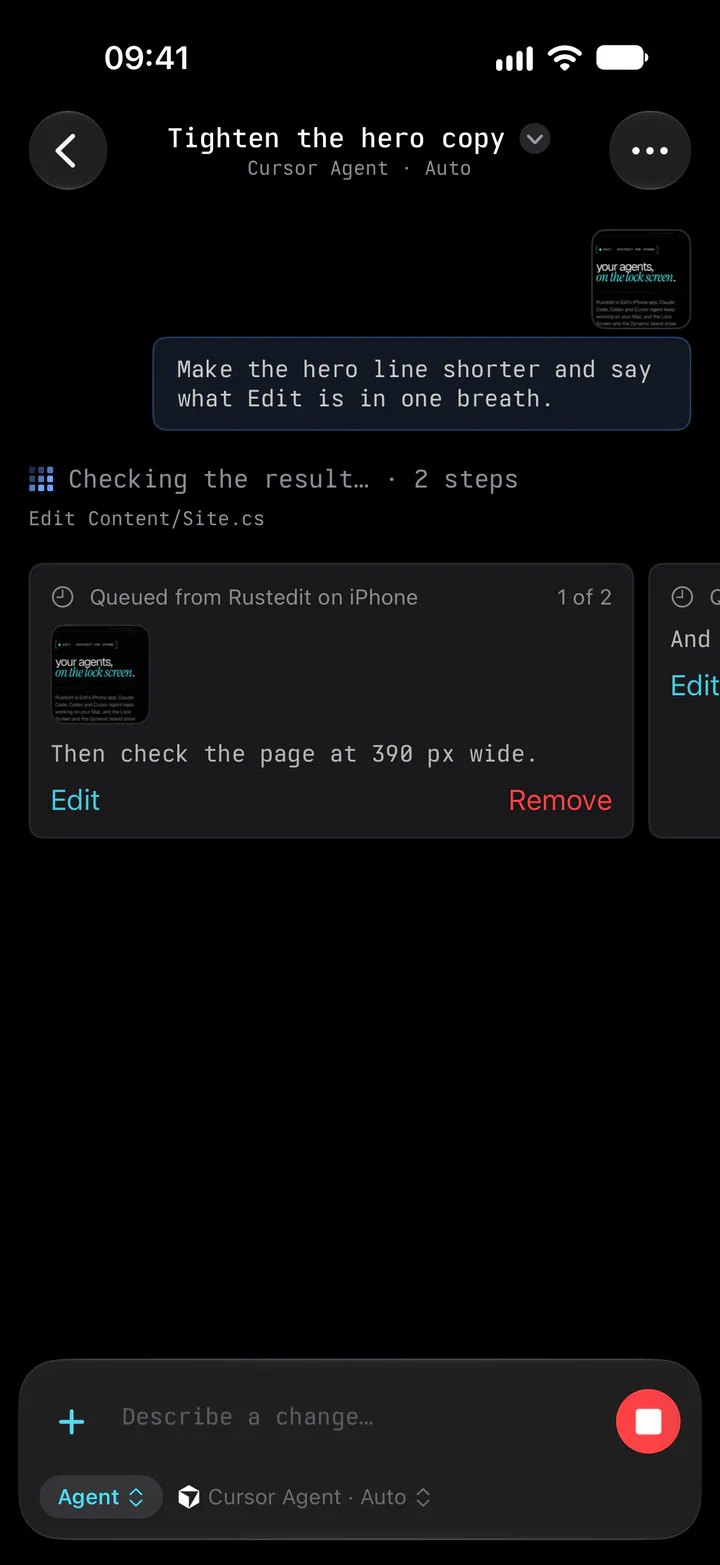
  7. Rustedit on iPhone: a Cursor Agent chat at work with two prompts queued from the phone.
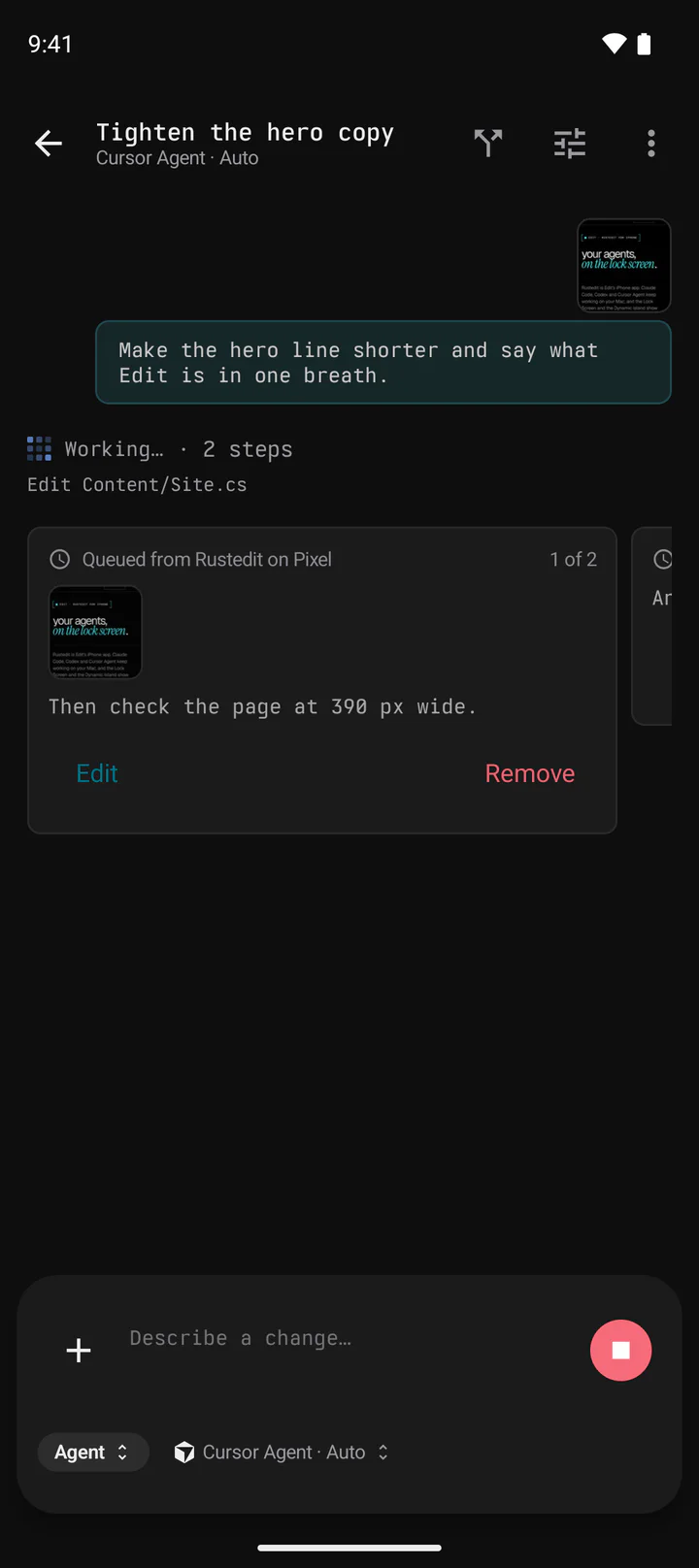
    Rustedit on Android: a Cursor Agent chat at work with two prompts queued from the phone.

    07 · The next prompt, in line. Send more while the agent works, pictures too. Edit or remove what waits.

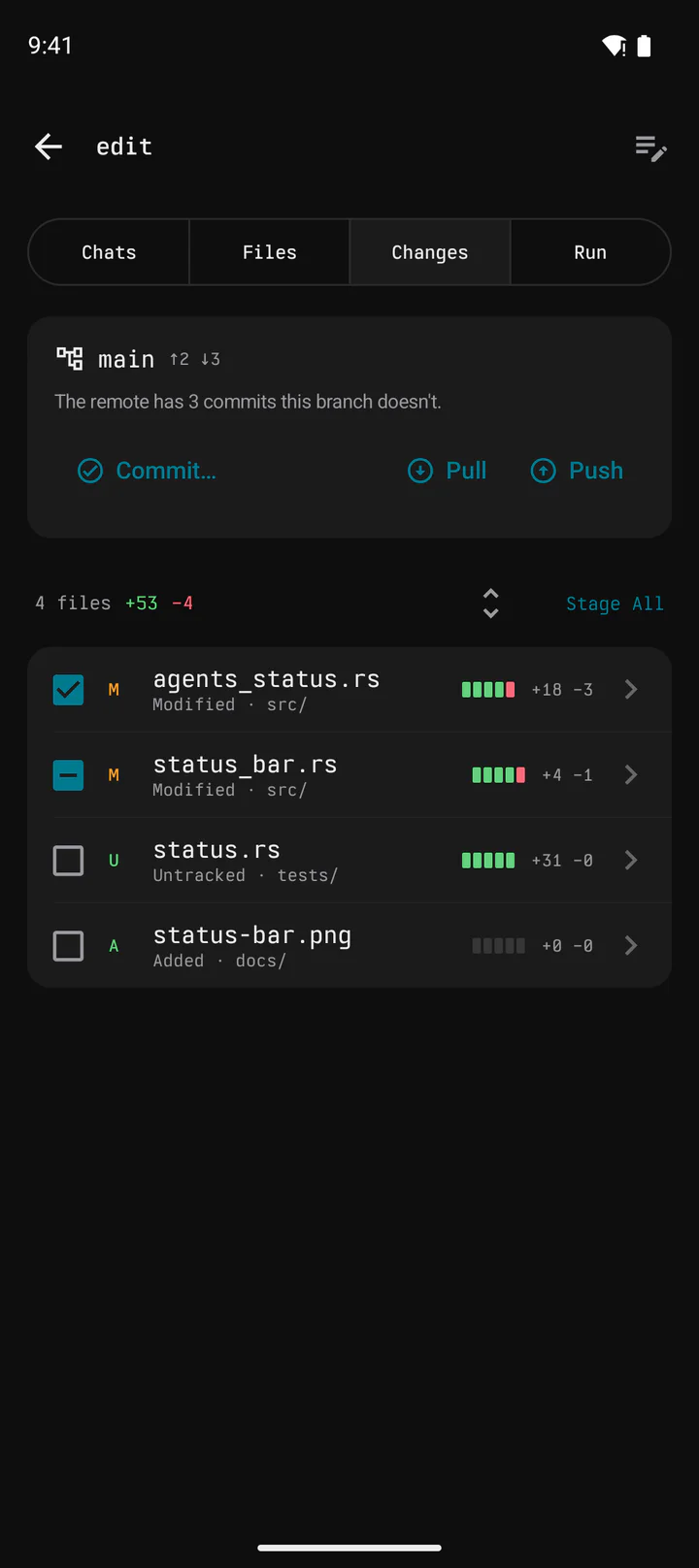
  8. Rustedit on iPhone: the changed files of the branch main, with Commit, Pull and Push.
    Rustedit on Android: the changed files of the branch main, with Commit, Pull and Push.

    08 · Review, stage, commit, push. Every changed file and its diff, then the commit, from the phone.

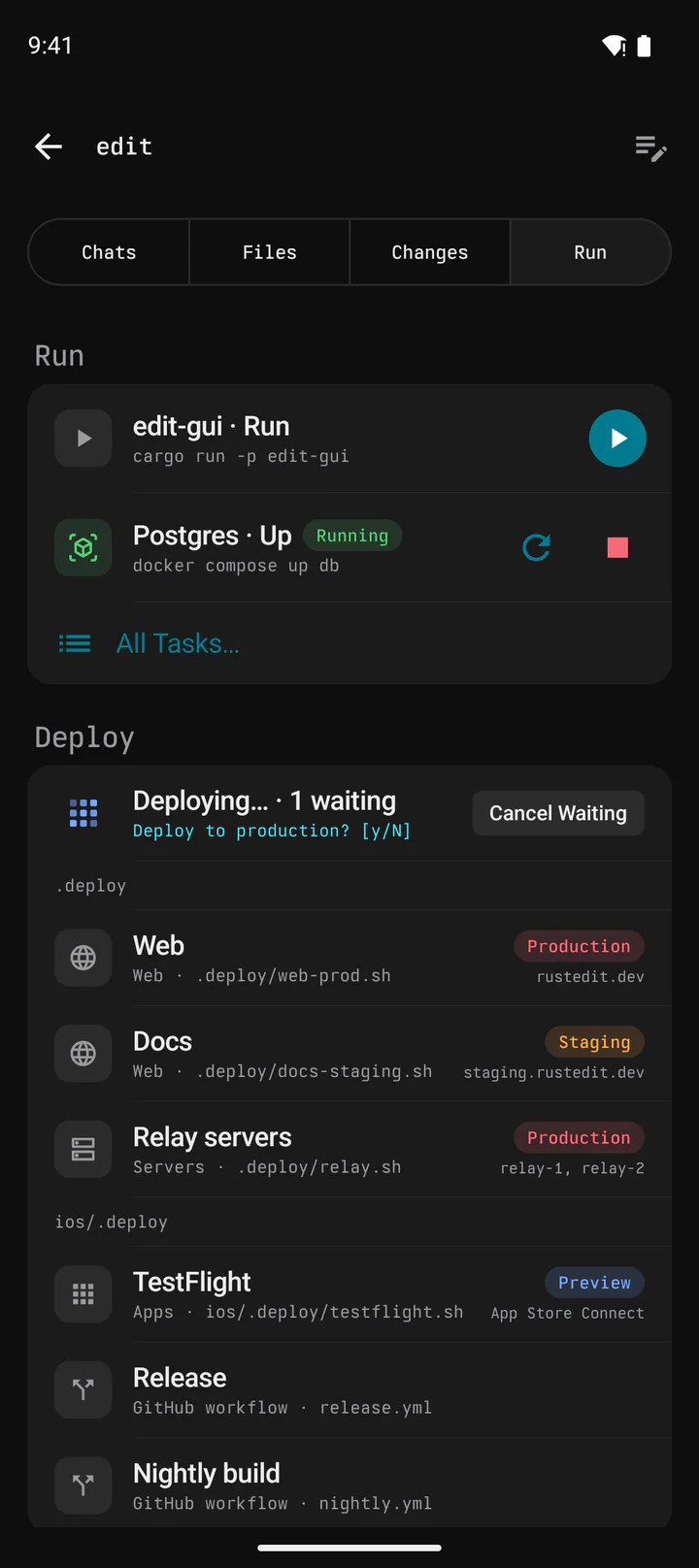
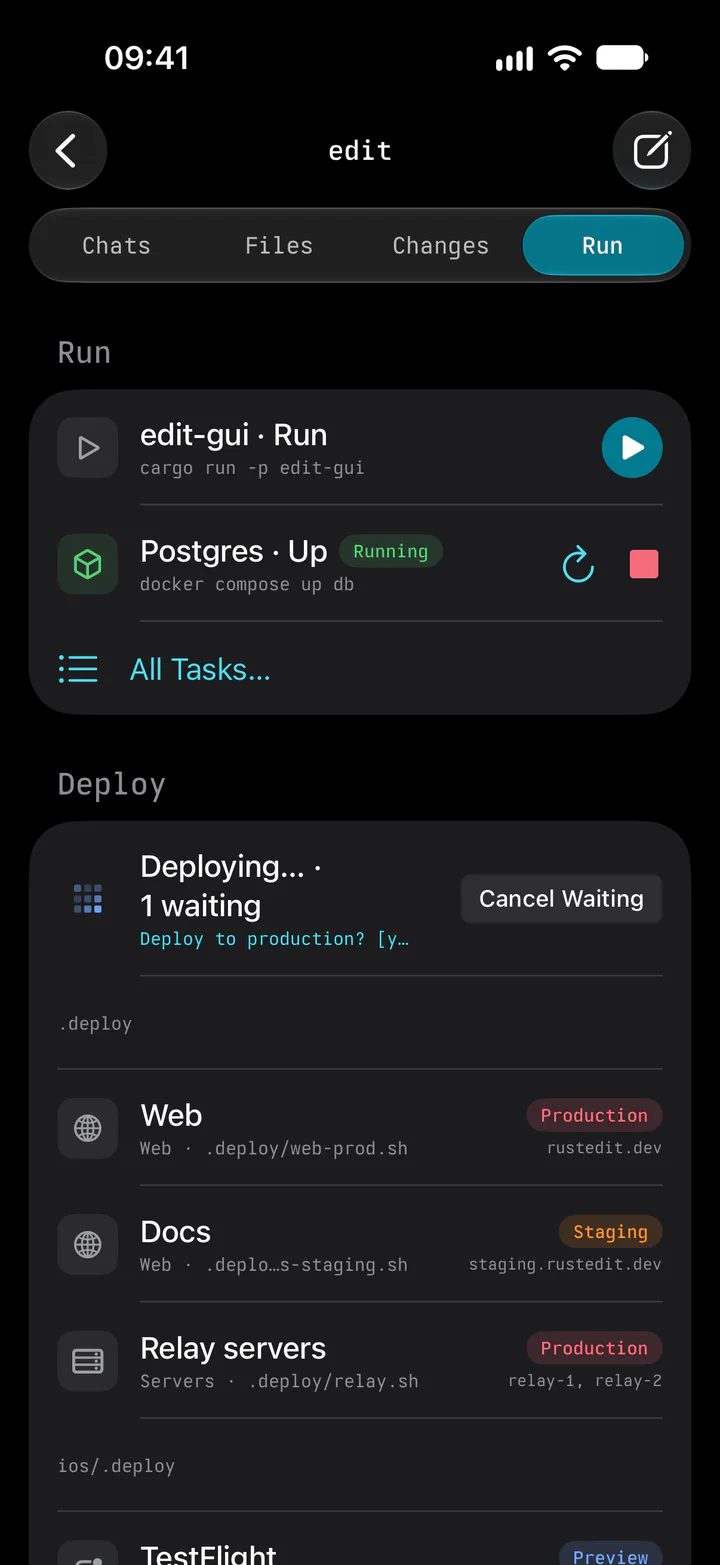
  9. Rustedit on iPhone: Run, with edit-gui and Postgres, and the deploy scripts below.
    Rustedit on Android: Run, with edit-gui and Postgres, and the deploy scripts below.

    09 · Start it on the computer. Run the app, its services and the tasks Edit found in the project.

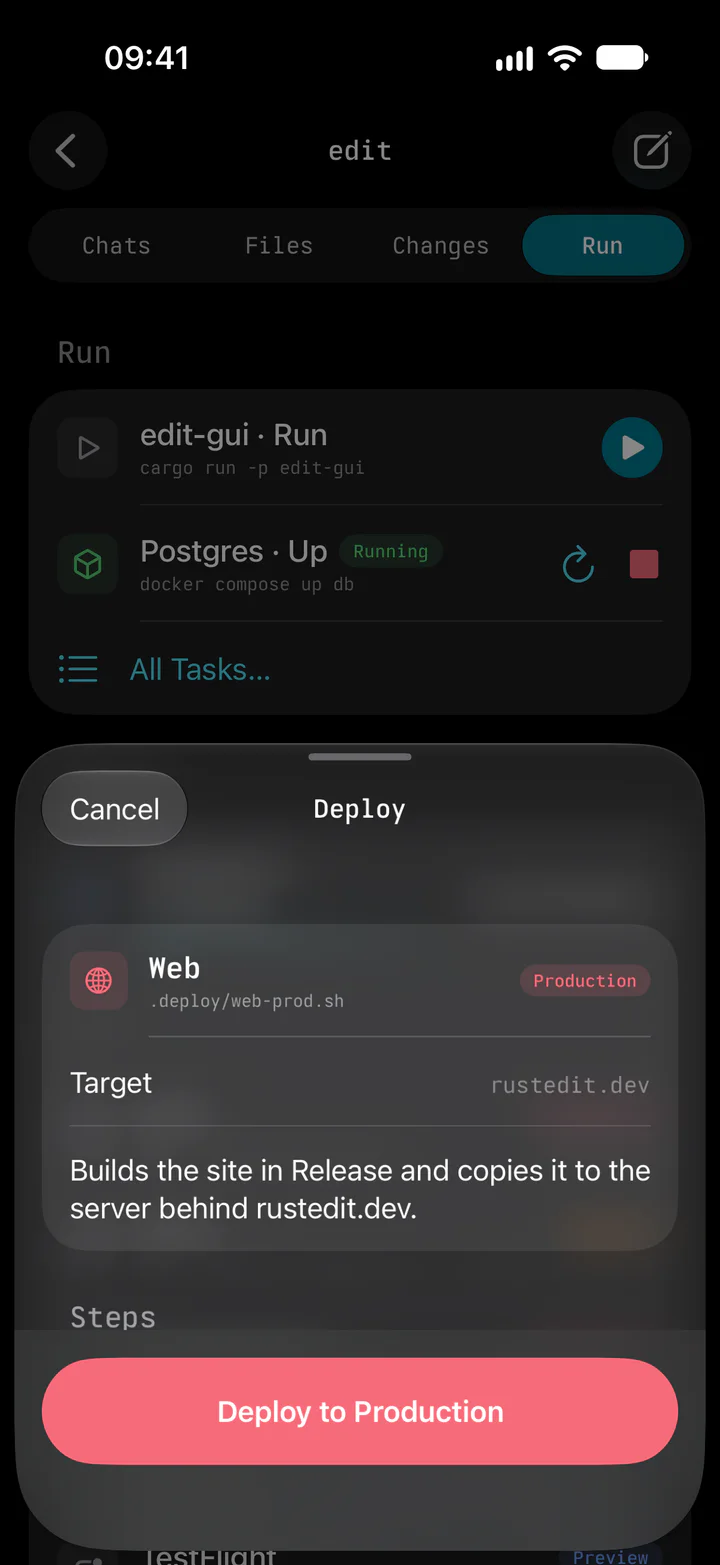
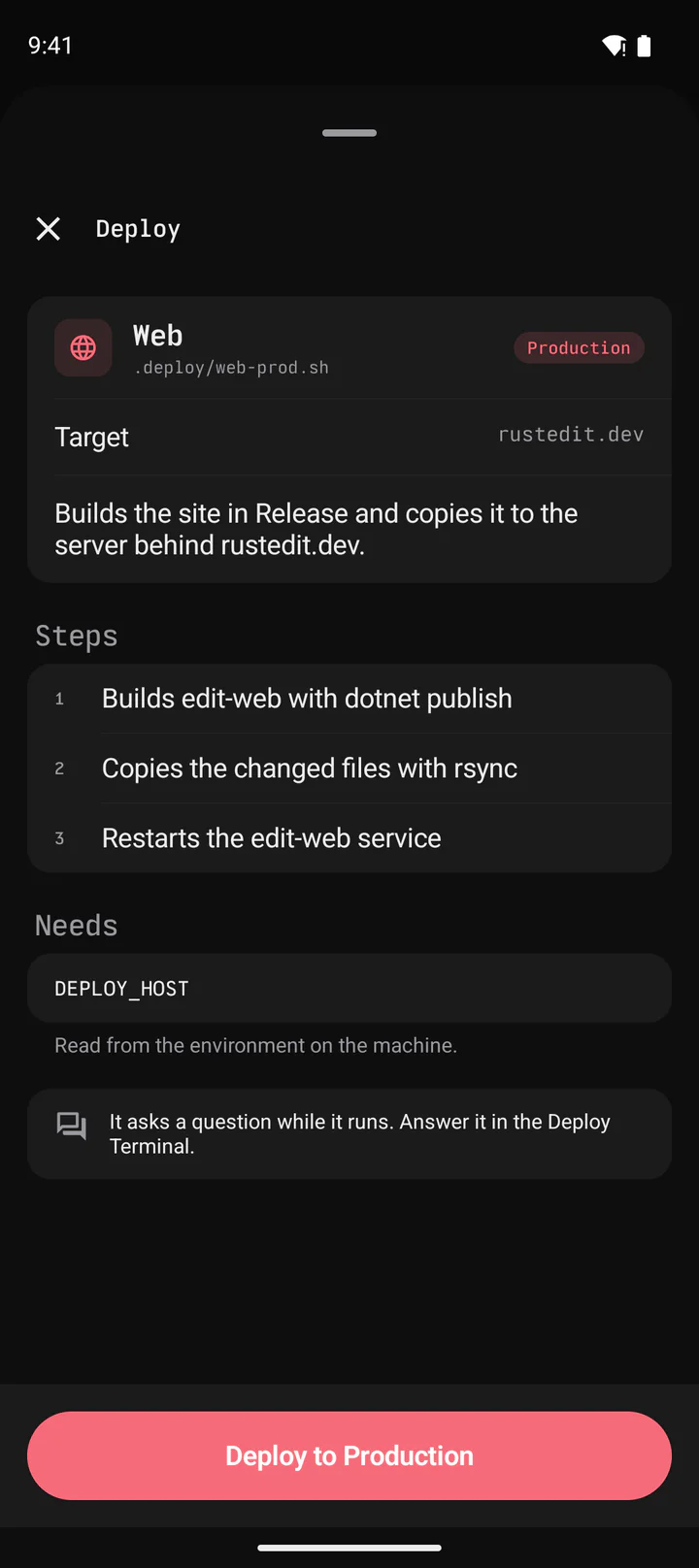
  10. Rustedit on iPhone: Deploy for Web to production, with its target rustedit.dev and Deploy to Production.
    Rustedit on Android: Deploy for Web to production, with its target rustedit.dev and Deploy to Production.

    10 · See what it does, then deploy. The target, the steps and what it needs, above the red button.

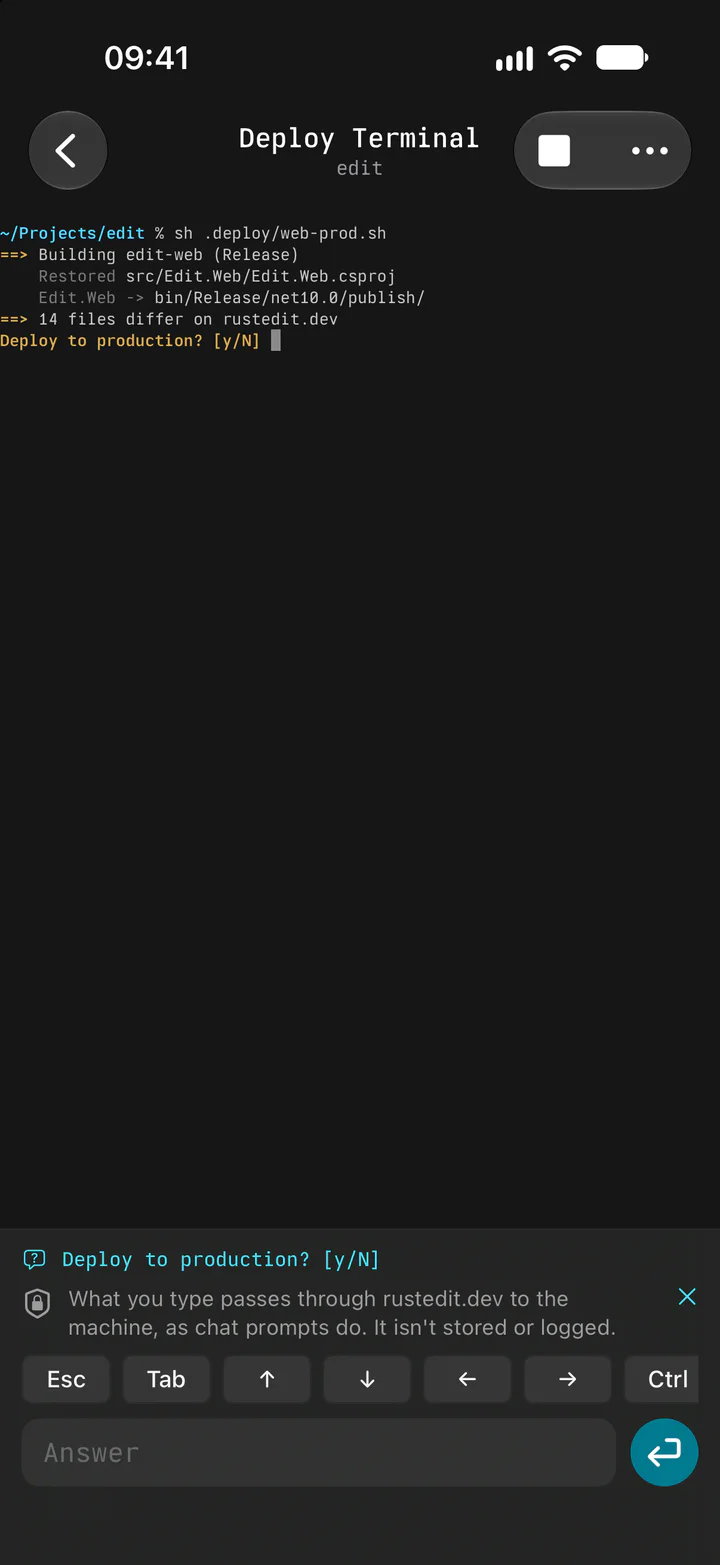
  11. Rustedit on iPhone: the Deploy Terminal waiting at Deploy to production, with Esc, Tab and Ctrl keys.
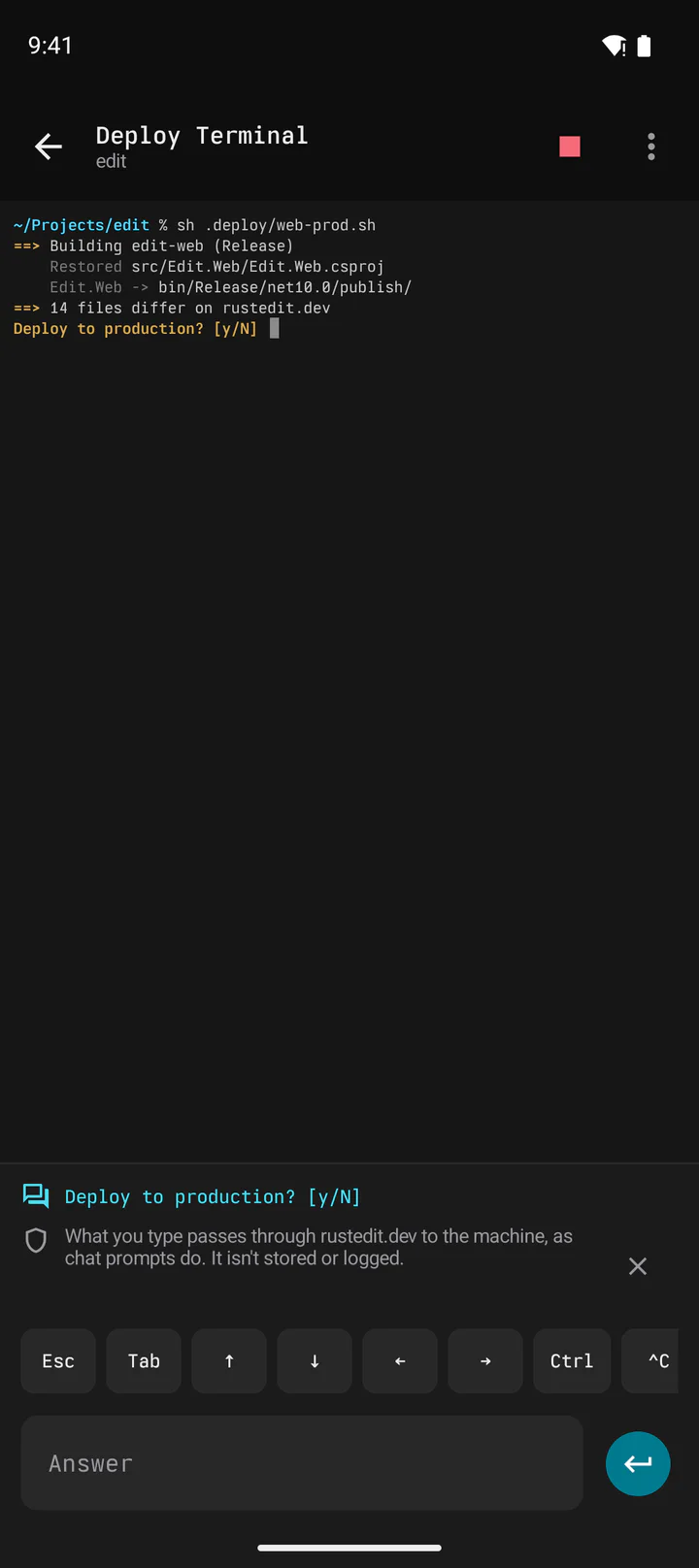
    Rustedit on Android: the Deploy Terminal waiting at Deploy to production, with Esc, Tab and Ctrl keys.

    11 · It asks, you type y. The computer's terminal, live, with Esc, Tab, Ctrl and arrows above the keyboard.

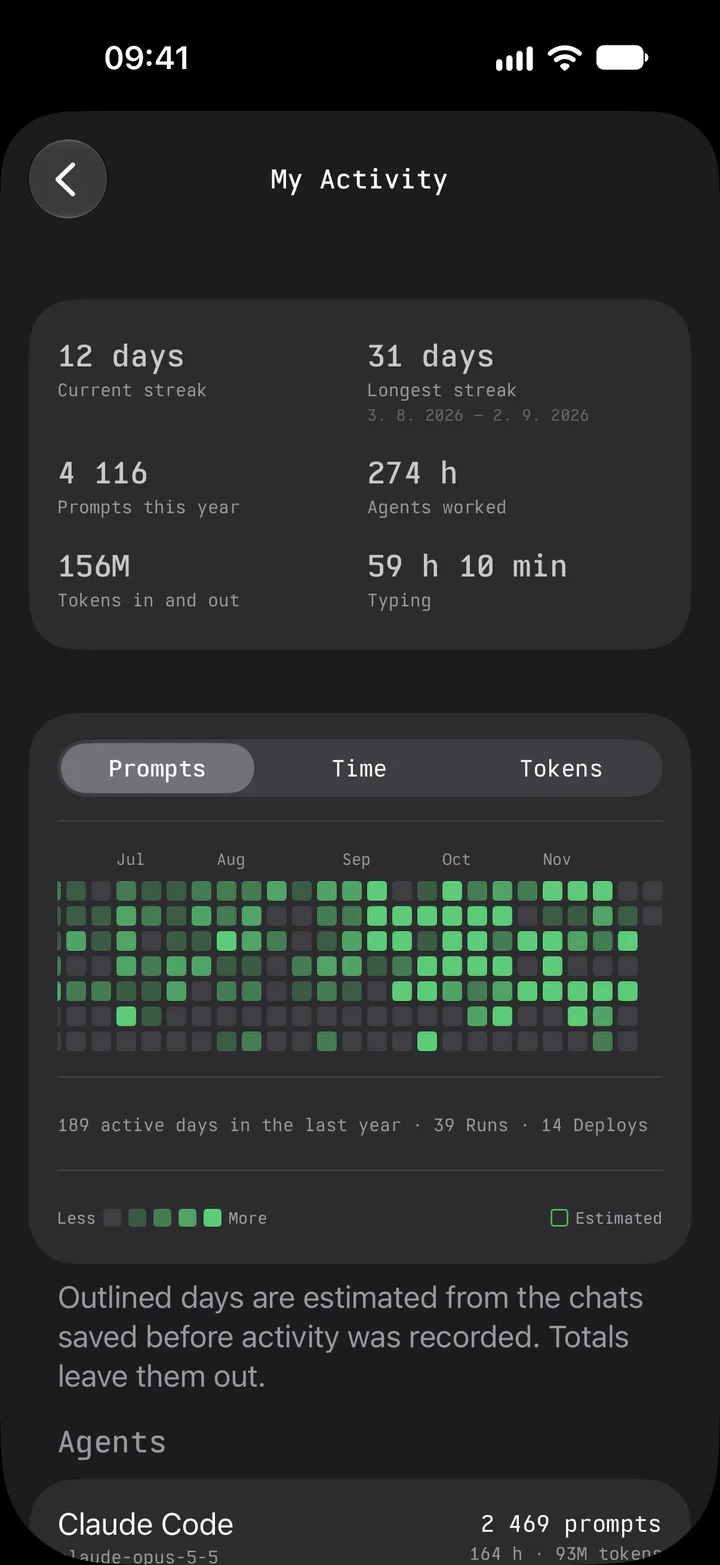
  12. Rustedit on iPhone: My Activity, with a 12 day streak and the year's grid.
    Rustedit on Android: My Activity, with a 12 day streak and the year's grid.

    12 · Your year, on the go. Streaks, prompts, time and tokens, day by day.

Scan, compare, allow.

Edit shows a QR code. Scan it, and allow the phone on your computer.

Every machine, live.

Which is online, how many chats need you, how many work and how many finished.

What needs you comes first.

Then what is working, with its step and its clock, then what finished.

A project in four tabs.

Chats, Files, Changes and Run, under what is left of your session and week.

Allow once, or deny.

The agent asks before it runs a command. The files it changed wait right below.

Answer in a few taps.

When an agent stops to ask, its questions are a form. Pick and send.

The next prompt, in line.

Send more while the agent works, pictures too. Edit or remove what waits.

Review, stage, commit, push.

Every changed file and its diff, then the commit, from the phone.

Start it on the computer.

Run the app, its services and the tasks Edit found in the project.

See what it does, then deploy.

The target, the steps and what it needs, above the red button.

It asks, you type y.

The computer's terminal, live, with Esc, Tab, Ctrl and arrows above the keyboard.

Your year, on the go.

Streaks, prompts, time and tokens, day by day.

Phone

Screenshots of Rustedit on iPhone and Android. The chats are an example.

Edit · Benchmarks

measured, not claimed.

ADEMark v1 measured 15 apps that run coding agents, on one Mac mini M4. Edit is not in it yet. We read how it measures, fixed what its tests would catch in Edit, and measured the result on our own Mac.

Measured 13 Nov 2026 · MacBook Pro M5 Max · release builds

Edit, before and after
Measurebeforeafter
relaunch492 ms353 ms
memory at rest311 MB92 MB
idle CPU0.65%0.05%
Memory at rest, five idle chats, MB
Edit75
Diri109
super.engineering134
Bare CLI, ref.188
Zeron209
MonoCode419
Orca528
Paseo559
Capy593
Synara631
T3 Code652
bb788
Claude desktop865
Traycer1,092
Conductor1,314
Emdash1,494
Memory at rest with five idle chats, against every app ADEMark v1 measured.
CPU at rest, app in front, %
Edit0.02
super.engineering0.18
Diri0.55
Capy0.56
Claude desktop0.71
Paseo0.83
Zeron1.67
Synara2.15
bb2.18
Emdash2.34
Orca2.63
T3 Code2.68
MonoCode9.03
Traycer15.79
Conductor16.37
CPU at rest with the app in front, as a share of one core.
Memory at rest, twenty chats, MB
Edit80
Diri212
super.engineering232
Zeron242
MonoCode621
T3 Code732
Paseo818
Orca870
Synara991
bb1,046
Emdash1,675
Traycer1,690
Conductor1,760
Memory at rest with twenty chats.
More on the benchmarks

█ ADEMark v1, Mac mini M4 · ▓ Edit, our Mac · Edit's rows are ours, read with ADEMark's own tools on a MacBook Pro M3 Max, or an M5 Max where the chart's source says so. ADEMark has not run Edit yet.

Philosophy

your work is none of my business.

Edit runs your agents on your computer, with your own accounts. What you build, ask and change is yours. There are no ads in it, no analytics company, and nothing about you is for sale.

  1. It is all yours

    Your folders and chats live on your computer. Your agents run on your own plans. A chat reaches my server only if you turn on remote access or sync.

  2. No trackers

    No third party analytics in Edit or on this site. Your profile counts your work in numbers only if you say Yes, and one switch turns it off.

  3. You have the last word

    Edit snapshots the folder before an agent starts. Afterwards you keep or undo each file. What stays is your decision.

  4. Locked by default

    Remote access is off until you turn it on, and a browser gets in only after you allow it at the computer. Updates are signed, and checked before they install.

I make Edit alone. No ads and no data for sale, so PRO pays for the time and care. Everything else is free. Pavel Sichsole developer of Edit

What leaves your computer

§ 11 · Download

download it here.

Signed macOS builds, both versions for Linux on arm64, and the GPU version for Windows on Arm. The version is the app's own version. The time is when this copy was signed. The SHA-256 matches the downloaded file.

GPU version

1.0.20261127-132144

macOS, drawn with Metal

Download size
25.9 MB
Binary
62.8 MB
Memory
78 MB
Agents
Claude Code, Cursor Agent, Codex

The agents are not bundled. Edit runs the ones you already have installed.

Signed by PAVEL ŠICH. 27 Nov 2026, 13:21:51 UTC

Apple has notarized this copy.

SHA-25674bdd597132d39f92805f7b0599c7262b9c5371c5af07ea5078d60bcb494252e

Download

Terminal version

1.0.20261127-132144

macOS, Linux and Windows

Download size
1.2 MB
Binary
443 KB
Memory
1.5 MB
Runs in
Any terminal, over SSH too

One small file. Copy it to a server or a container and run it.

This file is the macOS build.

Signed by PAVEL ŠICH. 27 Nov 2026, 13:21:51 UTC

Apple has notarized this copy.

SHA-2569bbd291093c20427dfedb05346cacc6b37176f212e79f7bf8dbe965024445aa9

Download

Install from the terminal

curl -fsSL https://rustedit.dev/install.sh | sh

Paste this into Terminal. It checks the SHA-256 and the signature, puts edit in ~/.local/bin and adds that folder to your PATH. Run the same line again to update. It covers Macs with Apple silicon.

Run
edit
Open a file
edit notes.md
Remove
rm ~/.local/bin/edit
Read the script first

GPU version, Linux

1.0.20261127-132144

Linux on arm64. The packages install on Ubuntu 22.04 and 24.04 and Fedora 45

Command
rustedit
Needs
glibc 2.35 or newer, WebKitGTK 4.1
Agents
Claude Code, Cursor Agent, Codex

The same GPU app, drawn with Vulkan. This is its first Linux build: so far it has run in containers and virtual displays, not yet on a range of real computers, and there is no x86 build yet.

Three packages of the same build for arm64. Pick the one for your distribution.

Linux builds carry no Apple signature. The SHA-256 below is how you check this copy.

  • .deb, for Ubuntu and Debian 23.5 MB

    SHA-256c5521b5f6c57c11634e1a901510711151d967c399727a04b09b4496dbf539f3b

    sudo apt install ./rustedit_1.0.20261127132144_arm64.deb Download .deb
  • .rpm, for Fedora 30.8 MB

    SHA-2566a26282c09eaa55facddf4be7f132eef0900df0fe4880f213e1014e5dd7768f4

    sudo dnf install ./rustedit-1.0.20261127132144-1.aarch64.rpm Download .rpm
  • .tar.gz, for any distribution 30.9 MB

    SHA-2563ac1f853fd47253d8df813e079607e22c6310f5db8d0a3d60882ab72d57e10ad

    sudo tar -xzf rustedit-1.0.20261127-132144-linux-aarch64.tar.gz -C / Download .tar.gz

Then run rustedit, or open Edit from your applications.

GPU version, Windows

1.0.20261127-132144

Windows 11 on Arm

Command
rustedit
Needs
WebView2, which the installer adds when it is missing
Agents
Claude Code, Cursor Agent, Codex

The same GPU app, drawn with Direct3D. This is its first Windows build: so far it has run in a virtual machine on Windows 11 on Arm, not yet on a range of real PCs, and there is no Intel or AMD build yet.

An installer, and the same build as a zip that runs from any folder.

These builds are not code-signed yet, so Windows may warn before it runs them. The SHA-256 below is how you check this copy.

  • Installer, for Windows on Arm 18.3 MB

    SHA-2567faaebf1ba0e137f53f60b83f73af358154d64064b45a39117af984b0e561b96

    Run rustedit-1.0.20261127-132144-windows-arm64-setup.exe Download Installer
  • Zip, for Windows on Arm 24.5 MB

    SHA-256cfc18407cb65ccfadd8ef5d0851dd2ade285d10f7fb90856810d485686db5f52

    Unzip rustedit-1.0.20261127-132144-windows-arm64.zip, then run rustedit.exe Download Zip

Then open Edit from the Start menu, or run rustedit.

Terminal version, Linux

1.0.20261127-132144

Linux on arm64, tested on Ubuntu 22.04 and 24.04, Debian 12, Fedora

Download size
1.3 MB
Binary
1.1 MB
Built on
Ubuntu 22.04, arm64
Needs
glibc 2.34 or newer

The same terminal app, built on Ubuntu for arm64 machines. There is no x86 build yet.

This file is the Linux build for arm64. It is a tar.gz holding one file, edit.

Linux builds carry no Apple signature. The SHA-256 below is how you check this copy.

SHA-2569d0f3fb46eb8cade91614745373bf68a4ecfc3ab18e461bab23378837b5b7c28

Download

tar -xzf the file, then run ./edit.

Release notes

Edit © 2026 Pavel Sich